


































How to Manage Employee Equipment in Go2Clock
This article explains how to manage employee equipment in Go2Clock. Equipment can be assigned to employees for easier management and tracking. This gives managers a clear overview of which employees currently have specific items of equipment, when it was issued, who issued it, and any additional notes recorded against it. As a result, it’s particularly useful for tracking equipment that needs to be returned, replaced or recovered from employees.
Step 1: Open the Employee’s Equipment Record
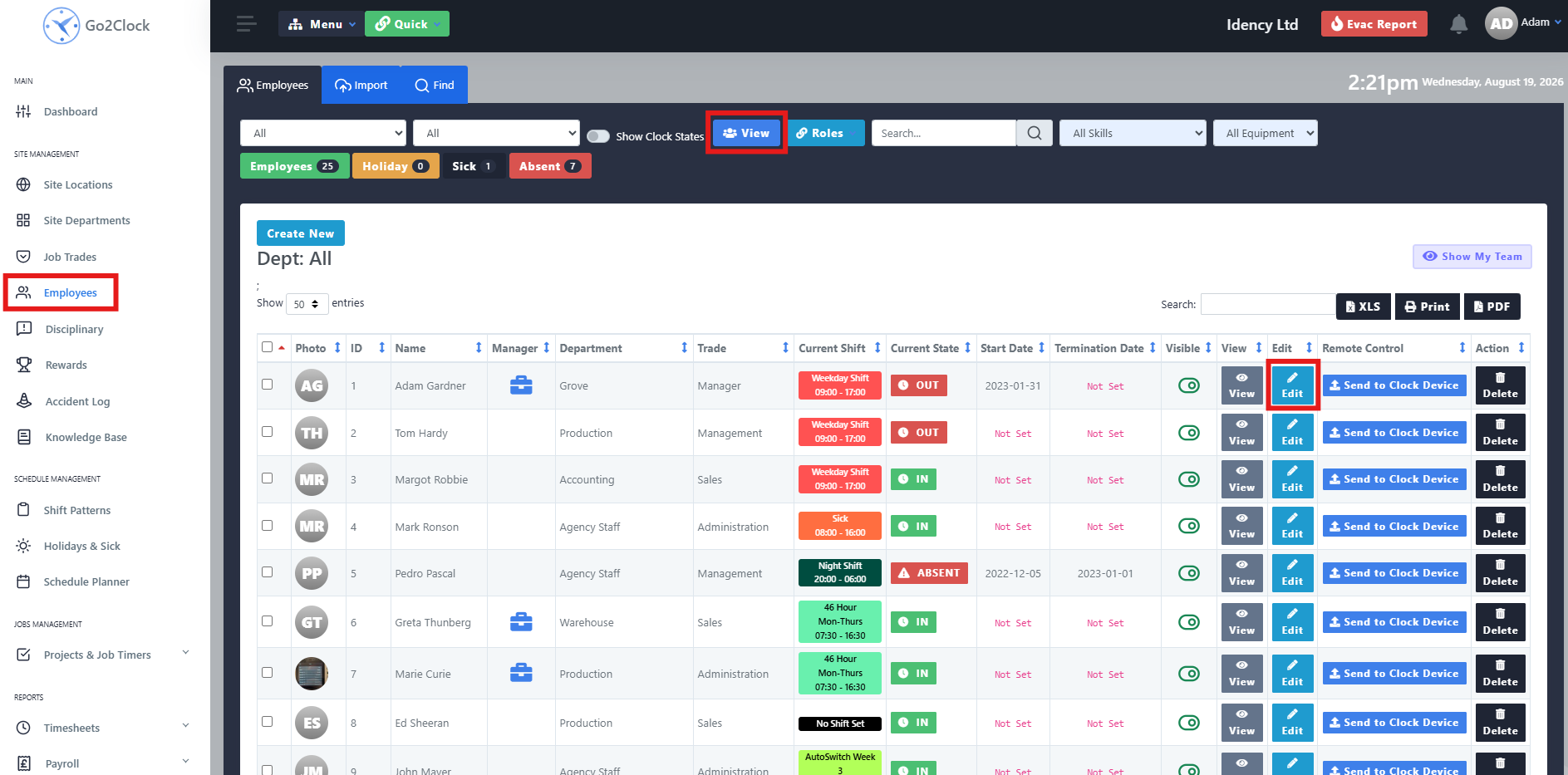
- Navigate to the Employee tab
- Select View
- Select Edit against the employee
- Navigate to Equipment Issued
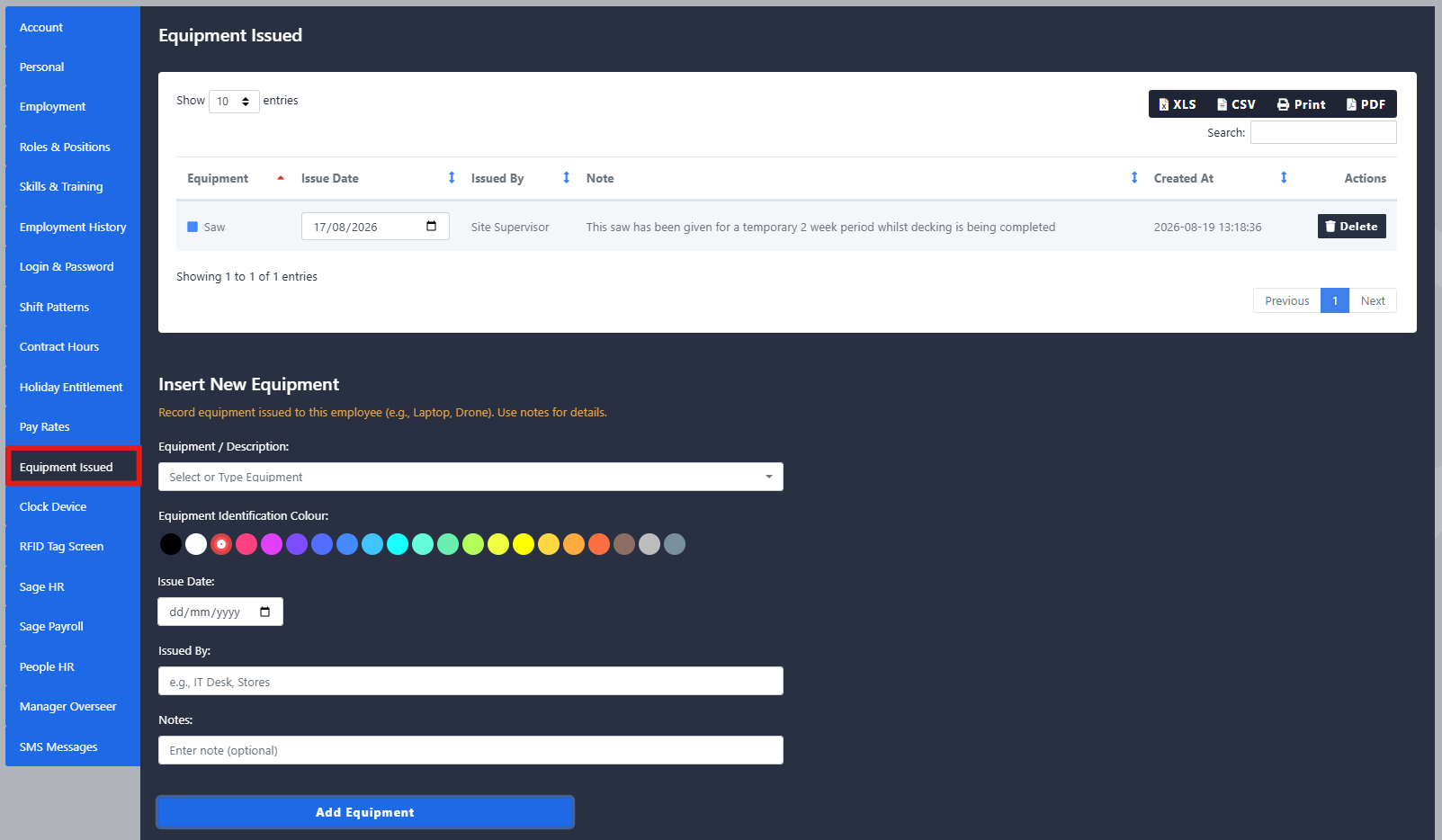
At the top, you can view all equipment currently issued to the employee. Once a piece of equipment has been returned, it can be deleted from the employee’s profile.
Step 2: Issue New Equipment
To issue new equipment to the employee, complete the follow fields:
- Equipment/Description: the name or description of the equipment being issued
- Colour: a colour to easily identify the equipment
- Issue Date: the date the equipment was issued
- Issued By: the name of the person who issued the equipment
- Notes: any additional information that may be useful when managing or retrieving the equipment
Step 3: Run an Equipment Report
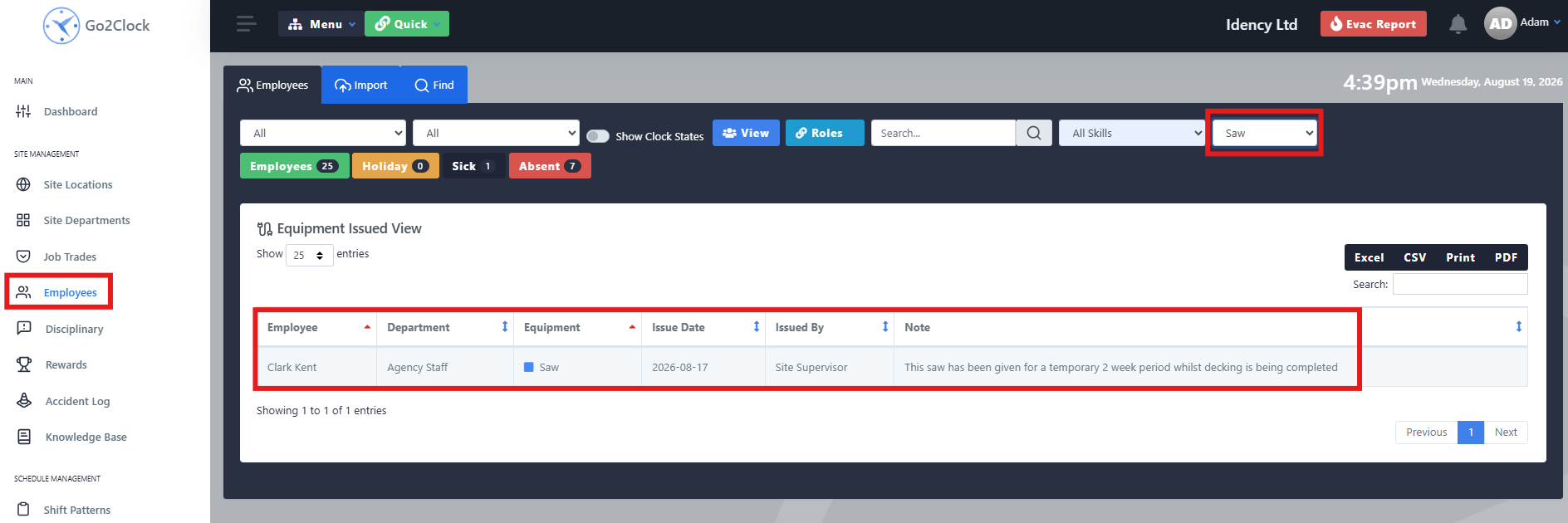
- Navigate to the Employee tab
- Select the Equipment dropdown in the top-right corner
- Select the equipment you want to report on, whether an individual item or all items
This makes it easy to check equipment across your whole team, or track down a specific item that needs to be returned.
Need a hand managing employee equipment?
If you run into any issues assigning or reporting on equipment, our support team is happy to help.

Go2Clock Cloud Hosted Time & Attendance System

















 English (UK)
  English
  English (Canada)
  Français du Canada
  Svenska
  Português
  Nederlands
  Italiano
  Français
  Español
  Deutsch