












Go2Clock: How to Manage Employee Equipment
This article explains how to manage employee equipment in Go2Clock. Equipment can be assigned to employees for easier management and tracking. This gives managers a clear overview of which employees currently have specific items of equipment, when it was issued, who issued it, and any additional notes recorded against it. As a result, it’s particularly useful for tracking equipment that needs to be returned, replaced or recovered from employees.
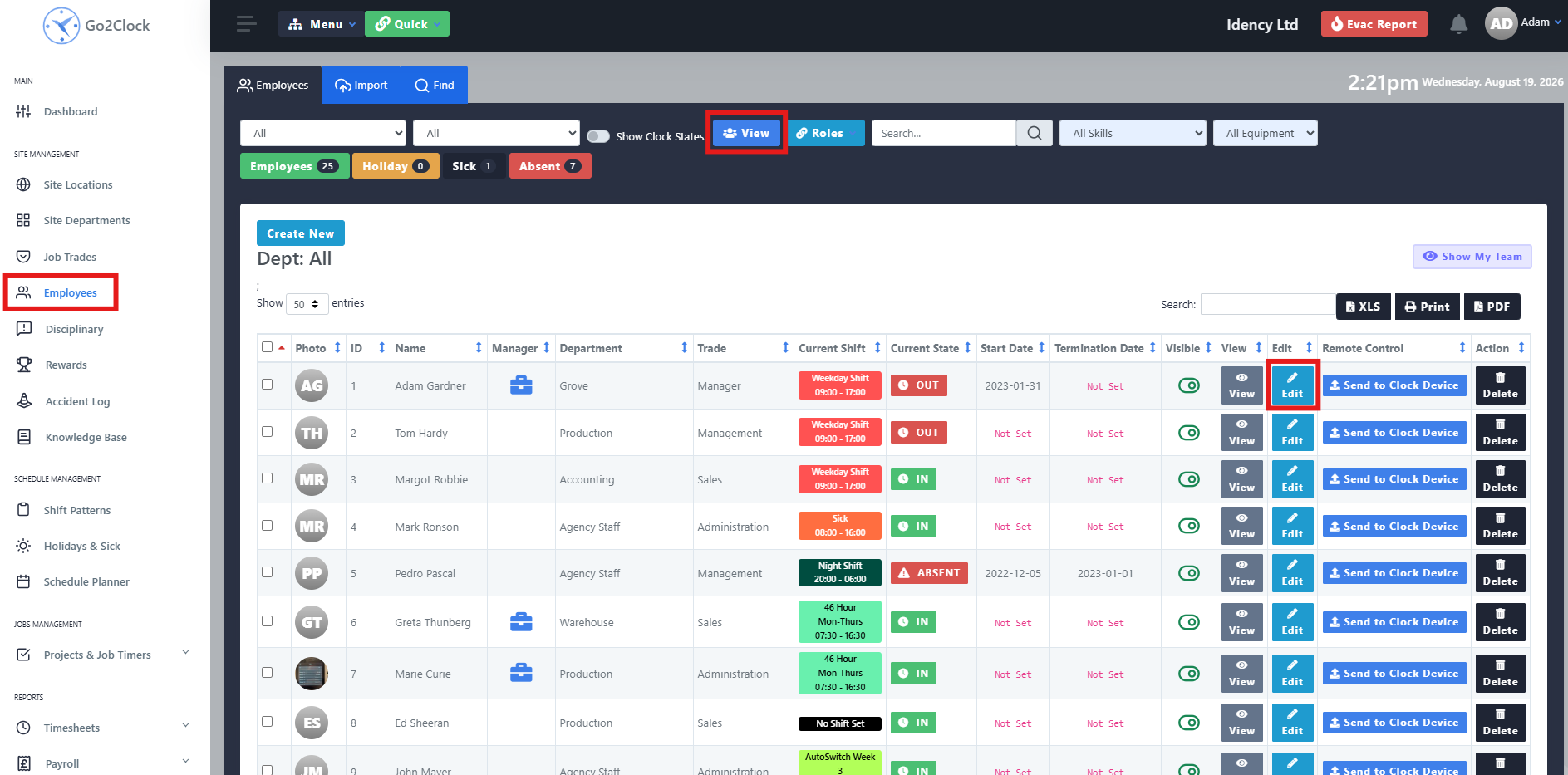
Step 1: Open the Employee’s Equipment Record
- Navigate to the Employee tab
- Select View
- Select Edit against the employee
- Navigate to Equipment Issued
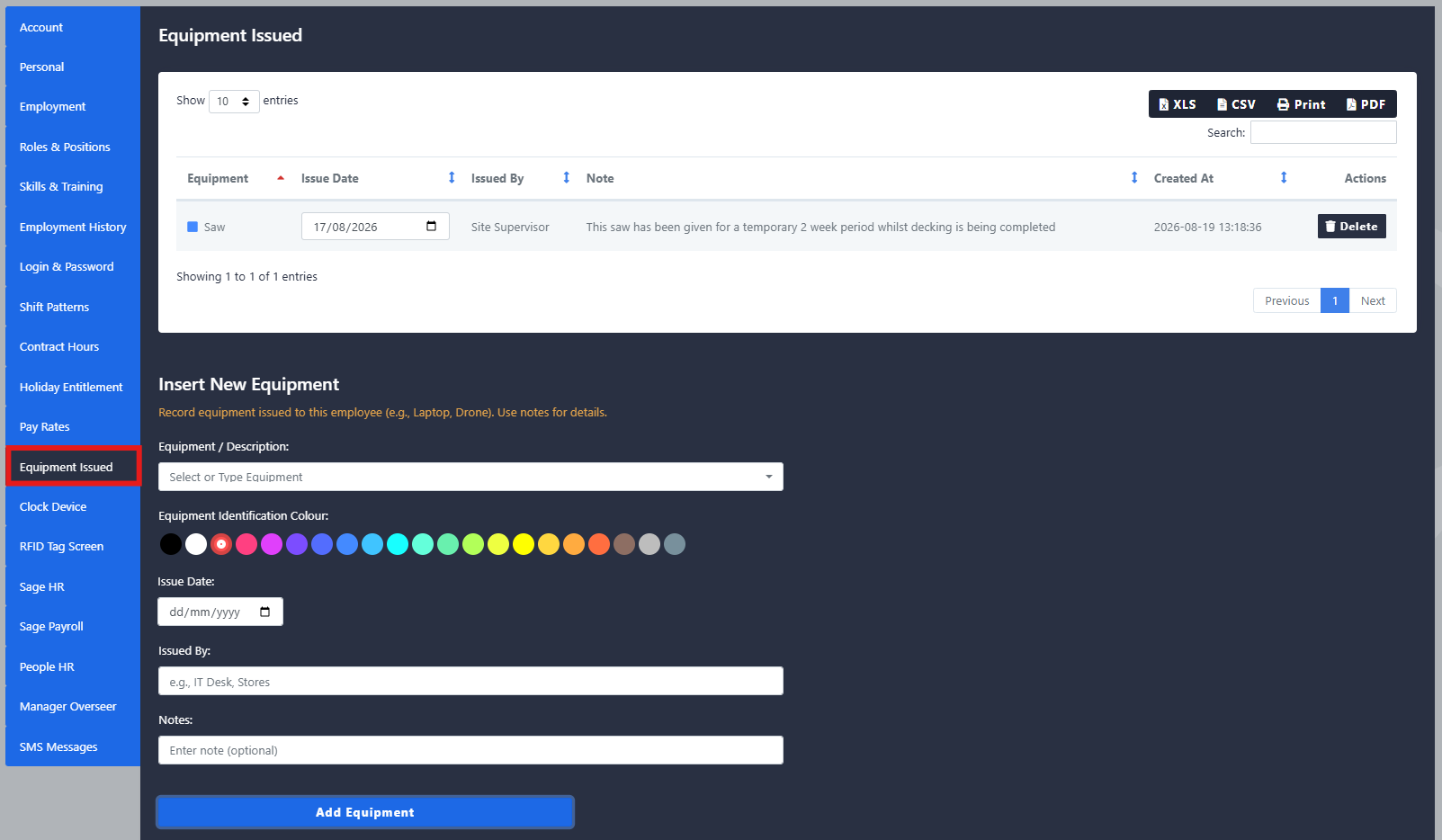
At the top, you can view all equipment currently issued to the employee. Once a piece of equipment has been returned, it can be deleted from the employee’s profile.
Step 2: Issue New Equipment
To issue new equipment to the employee, complete the follow fields:
- Equipment/Description: the name or description of the equipment being issued
- Colour: a colour to easily identify the equipment
- Issue Date: the date the equipment was issued
- Issued By: the name of the person who issued the equipment
- Notes: any additional information that may be useful when managing or retrieving the equipment
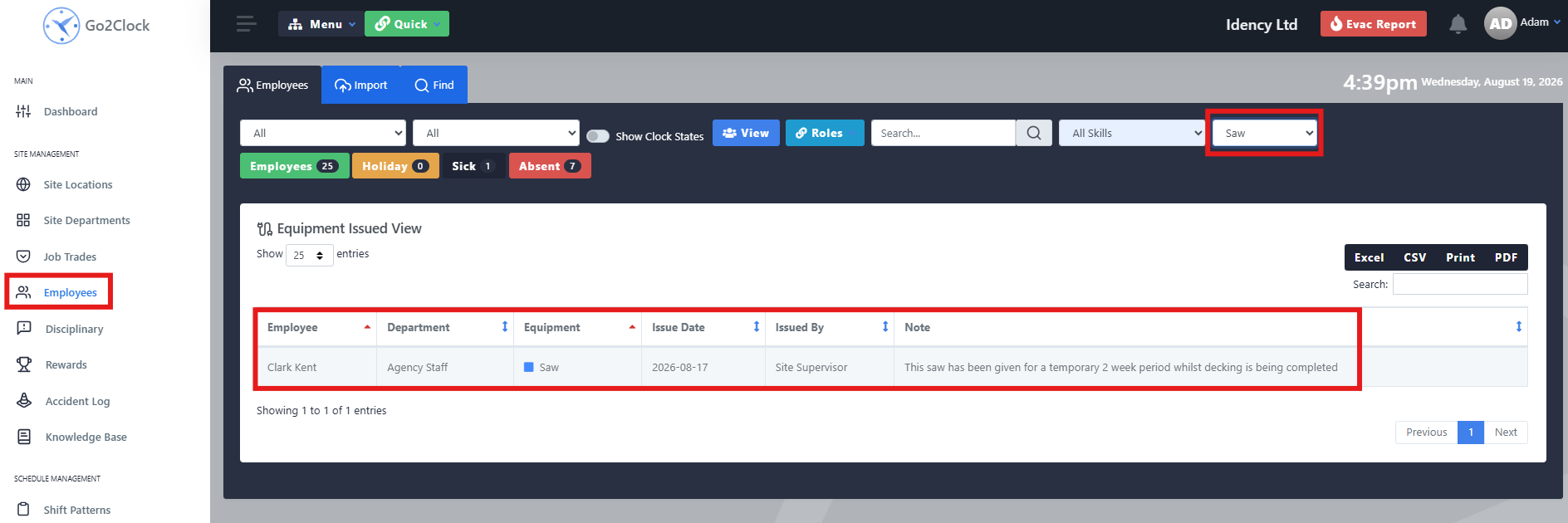
Step 3: Run an Equipment Report
- Navigate to the Employee tab
- Select the Equipment dropdown in the top-right corner
- Select the equipment you want to report on, whether an individual item or all items
This makes it easy to check equipment across your whole team, or track down a specific item that needs to be returned.
Need a hand managing employee equipment?
If you run into any issues assigning or reporting on equipment, our support team is happy to help.
Go2Clock Cloud Hosted Time & Attendance System







 English (UK)
 English
 English (Canada)
 Français du Canada
 Svenska
 Português
 Nederlands
 Italiano
 Français
 Español
 Deutsch