


































Go2Clock: How to Import Sage HR Staff
This article explains how to import employees from Sage HR into Go2Clock. Before using the Sage HR Import, ensure the Sage HR API connection has been set up in Go2Clock. If this hasn’t been configured yet, please refer to: How to Connect Sage HR to Go2Clock
Step 1: Create a New Department
Sage HR does not provide departments that can be imported into Go2Clock. Because of this, the required departments can be created either before or after employees have been imported.
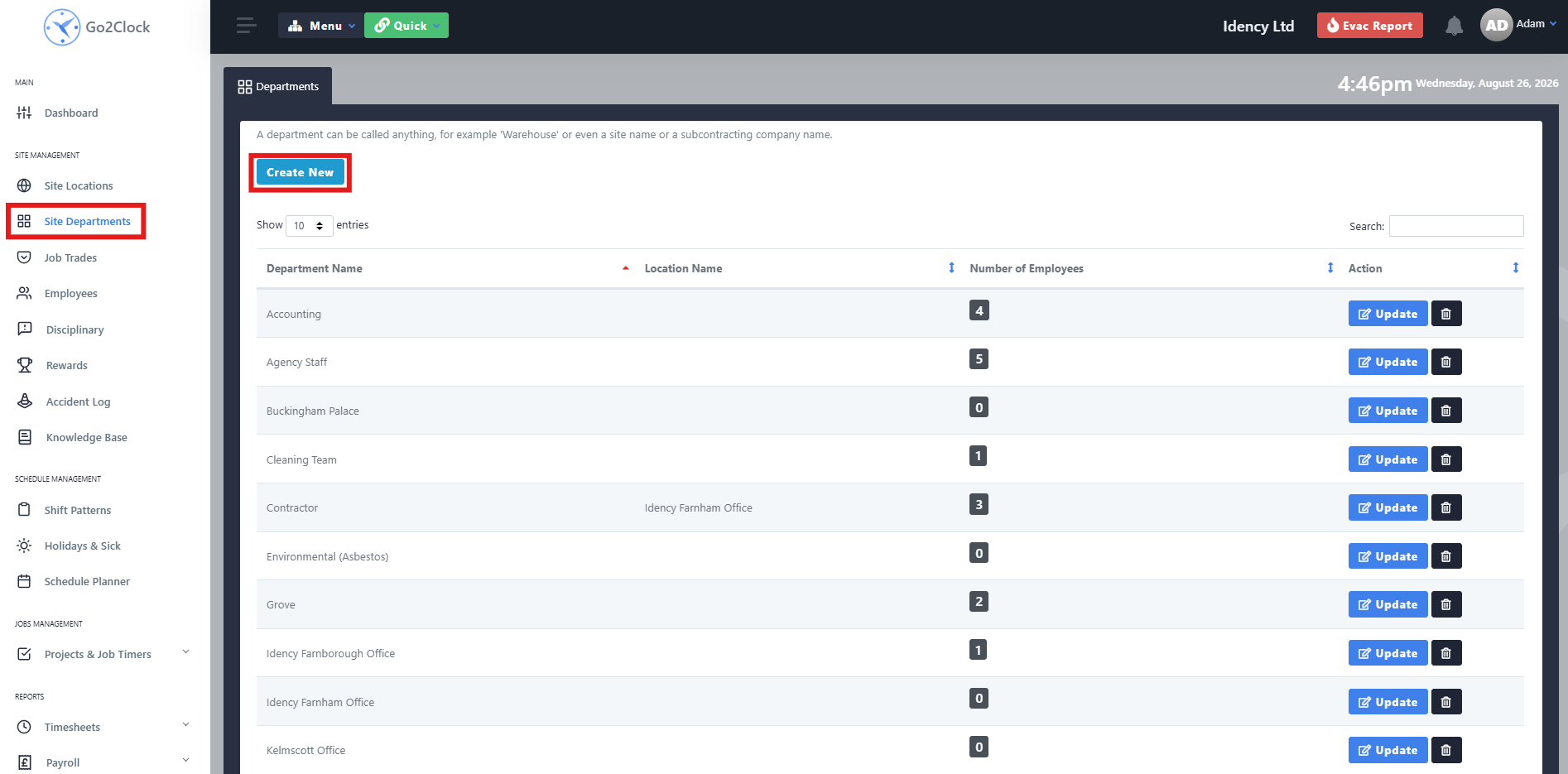
- Navigate to Site Departments
- Select Create New
Step 2: Name and Create the Department
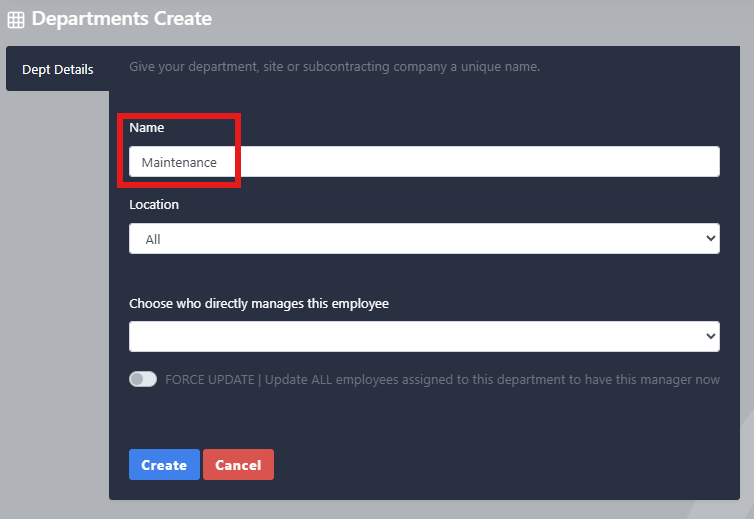
- Enter the department name
- Select Create
Repeat this process until all of your Sage HR departments have been created in Go2Clock
Step 3: Import Sage HR Employees
Once the PeopleHR API connection has been established, you can import your employees from PeopleHR.
- Navigate to Payroll
- Select Sage HR Import & Import
- At the top of the screen, select Sage HR Import Employees
From this tab, you can view the Sage HR employees that will be brought across into Go2Clock before importing them, showing all the information that will transfer over. Once you’re ready, select Import Employees. Go2Clock will then retrieve the employee information from Sage HR and create the employees.
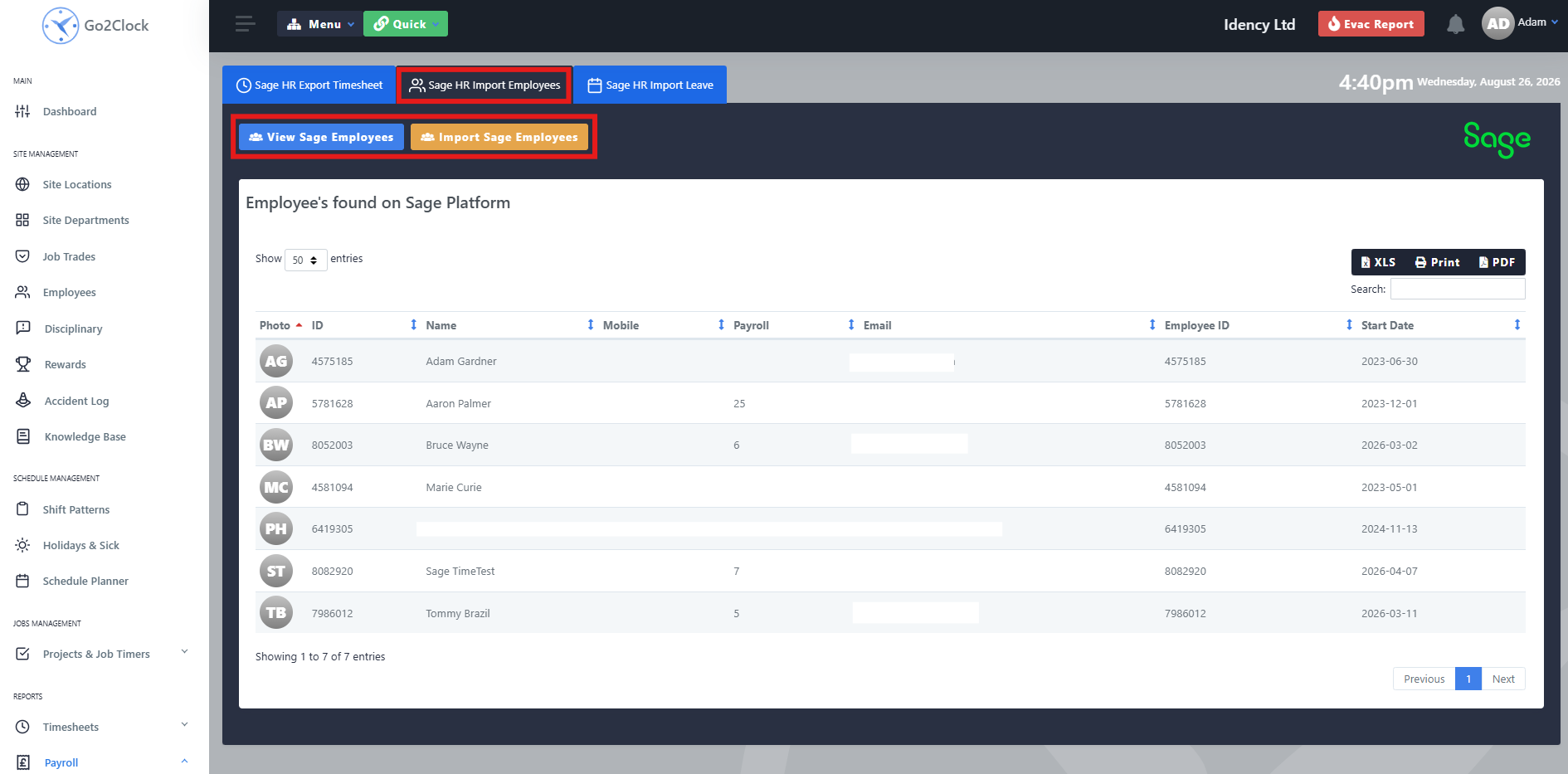
Employees are automatically linked to their corresponding Sage HR Employee ID, allowing Go2Clock to identify them when using other Sage HR integration functions, such as importing leave and exporting clock records. You can run the import again at any time a new employee has been added to Sage HR — only employees not already present in Go2Clock will be added.
Need a hand importing your Sage HR staff?
If you run into any issues connecting Sage HR or importing employees, our support team is happy to help.

Go2Clock Cloud Hosted Time & Attendance System

















 English (UK)
  English
  English (Canada)
  Français du Canada
  Svenska
  Português
  Nederlands
  Italiano
  Français
  Español
  Deutsch