


































Go2Clock: Cómo importar personal de Sage HR
Este artículo explica cómo importar empleados desde Sage HR a Go2Clock. Antes de utilizar el programa de importación de Sage HR, asegúrate de que la conexión a la API de Sage HR haya sido configurada en Go2Clock. Si aún no se ha configurado, consulta: Cómo conectar Sage HR a Go2Clock
Paso 1: Crear un nuevo departamento
Sage HR no proporciona departamentos que puedan importarse a Go2Clock. Debido a esto, los departamentos requeridos pueden ser creados antes o después de que los empleados hayan sido importados.
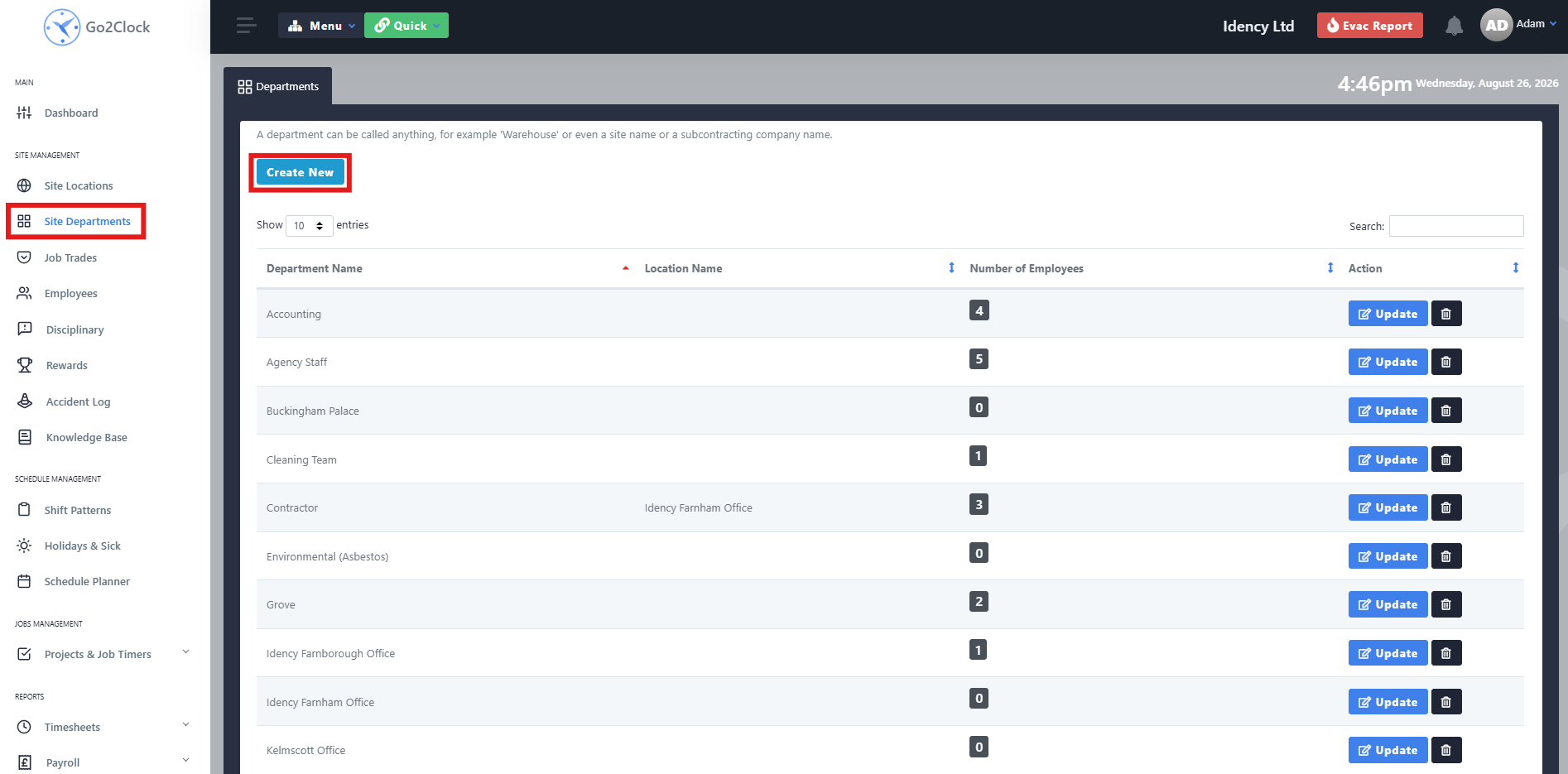
- Navegar a Departamentos del Sitio
- Seleccionar Crear nuevo
Paso 2: Nombra y crea el departamento
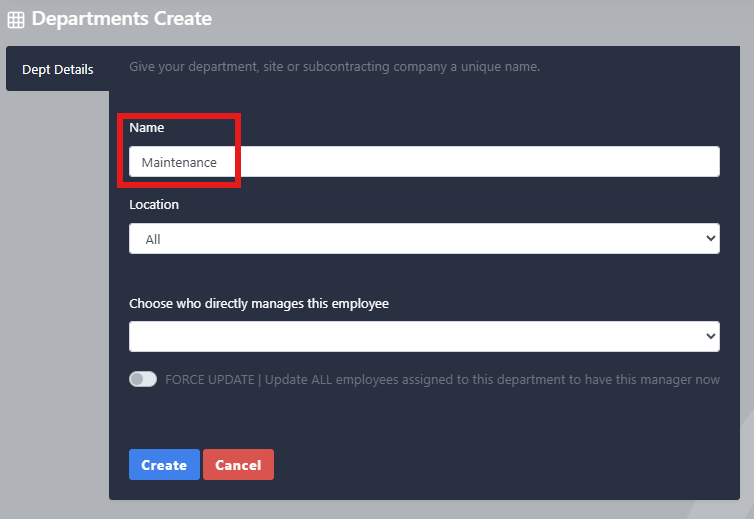
- Introduzca el nombre del departamento
- Seleccionar Crear
Repita este proceso hasta que todos los departamentos de Sage HR hayan sido creados en Go2Clock.
Paso 3: Importar los empleados de Sage HR
Una vez establecida la conexión con la API de PeopleHR, podrás importar a tus empleados desde PeopleHR.
- Vaya a Nómina
- Seleccionar Sage HR Import & Import
- En la parte superior de la pantalla, selecciona Sage HR Import los empleados
Desde esta pestaña, puedes ver los empleados de PeopleHR que se transferirán a Go2Clock antes de importarlos, mostrando toda la información que se transferirá. Una vez que estés listo, selecciona Importar empleados. Go2Clock entonces recuperará la información de los empleados de Sage HR y creará los empleados.
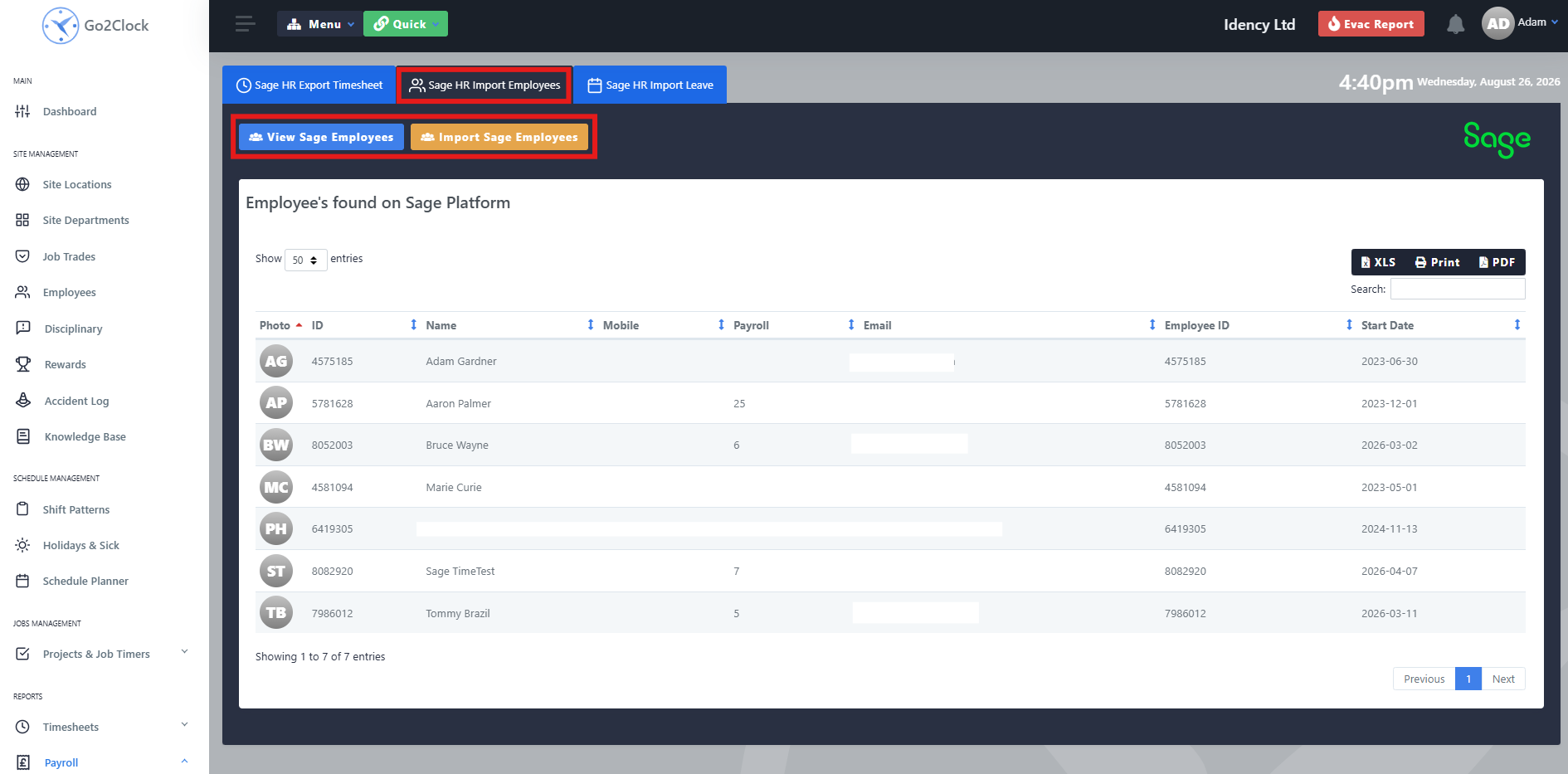
Los empleados se vinculan automáticamente a su ID de empleado de Sage HR correspondiente, lo que permite a Go2Clock identificarlos cuando se utiliza otra función de integración de Sage HR, como la importación de los días de vacaciones y la exportación de los registros de tiempo. Puede volver a ejecutar la importación en cualquier momento en el que se haya añadido un nuevo empleado a Sage HR: solo se añadirán los empleados que ya no estén presentes en Go2Clock.
¿Necesita ayuda para importar el personal de Sage HR?
Si encuentras algún problema al conectar Sage HR o al importar empleados, nuestro equipo de soporte estará encantado de ayudarte.

Sistema de control de presencia y fichaje en la nube Go2Clock

















 English (UK)
  English
  English (Canada)
  Français du Canada
  Svenska
  Português
  Nederlands
  Italiano
  Français
  Español
  Deutsch