



































Uni-Ubi: Zomertijd
In dit artikel wordt beschreven hoe u de zomertijd (DST) instelt op een Uni-Ubi-apparaat, hetzij rechtstreeks op het apparaat, hetzij via de webportal van de terminal. Voordat u begint, zorg ervoor dat het apparaat is ingeschakeld en is verbonden met uw netwerk.
Het instellen van de zomertijd via het webportaal wordt aanbevolen in plaats van via het apparaat. Het webportaal stelt u in staat om de zomertijd eenmaal in te stellen met behulp van een wekelijkse regel, waardoor deze automatisch van toepassing is op het laatste weekend van maart en oktober van elk jaar. De methode op het apparaat gebruikt vaste data die jaarlijks handmatig moeten worden bijgewerkt.
Aanpassing van de zomertijd op het apparaat
Log in op het apparaat met de standaard gebruikersgegevens hieronder in het menu 'Admin'.
- Gebruikersnaam: Admin
- Wachtwoord: 12354
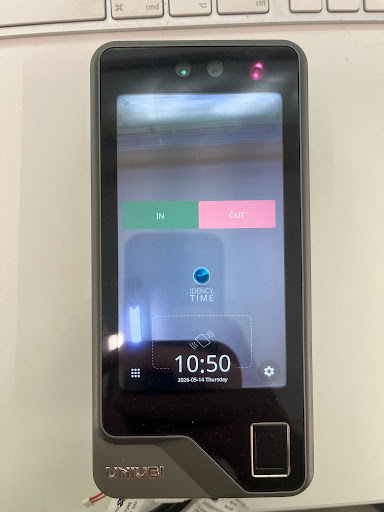
Stap 2: De tijdzone instellen
Navigeer naar Instellingen → Systeem → Tijd en Datum. Stel de tijd in. Tijdzone Om de locatie te matchen — bijvoorbeeld GMT+0 voor het Verenigd Koninkrijk. De datum en tijd moeten al correct zijn, aangezien het apparaat standaard verbinding maakt met een NTP-server.
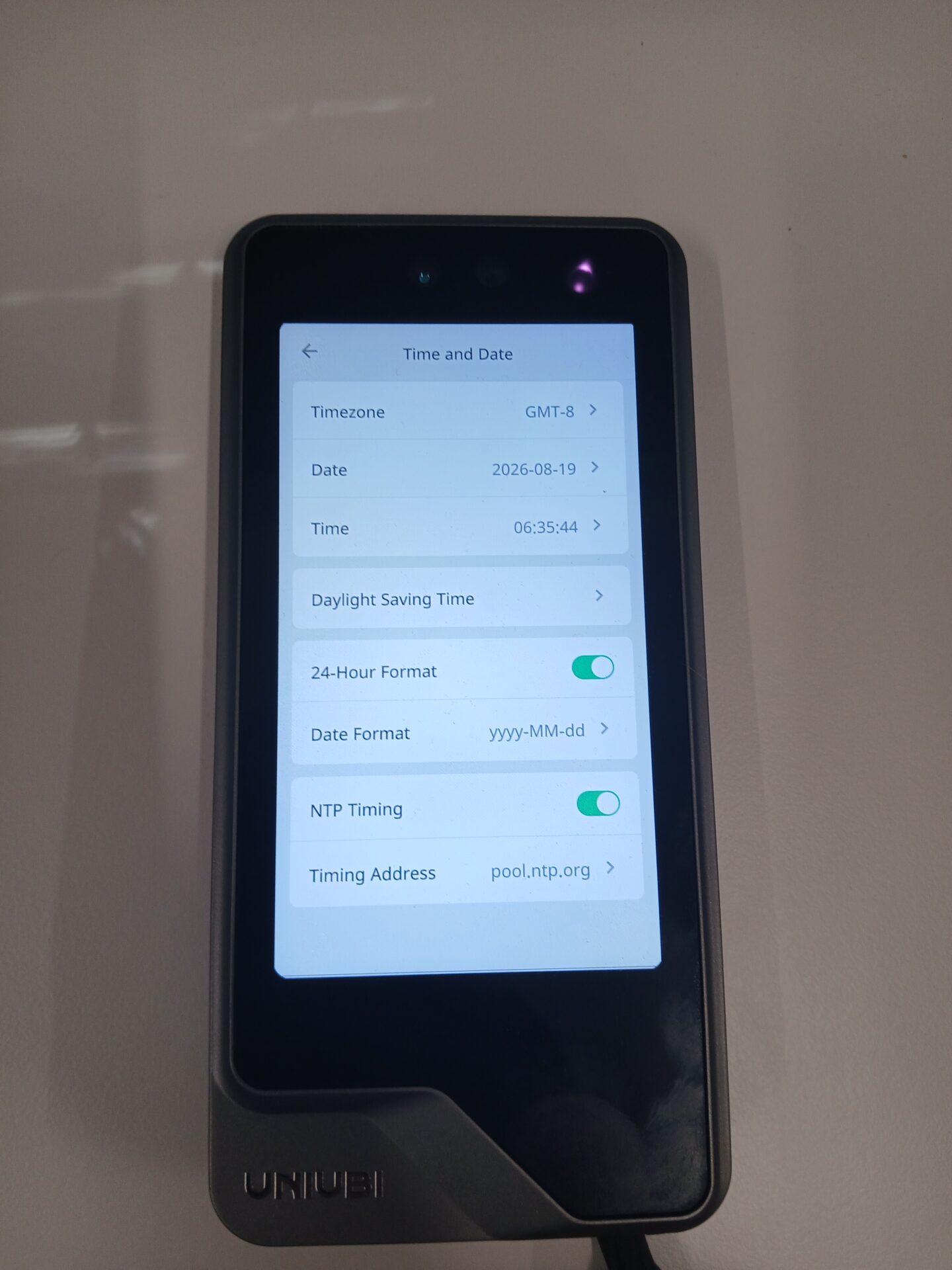
Stap 3: DST inschakelen en tijdzoneinterval instellen
inschakelen Zomertijd, stel dan de Tijdzone Interval naar de DST-data van dit jaar, gebruikmakend van het formaat MM-DD (begin) – MM-DD (eind).
- 2024: 03-31 tot 10-27
- 2025: 03-30 tot 10-26
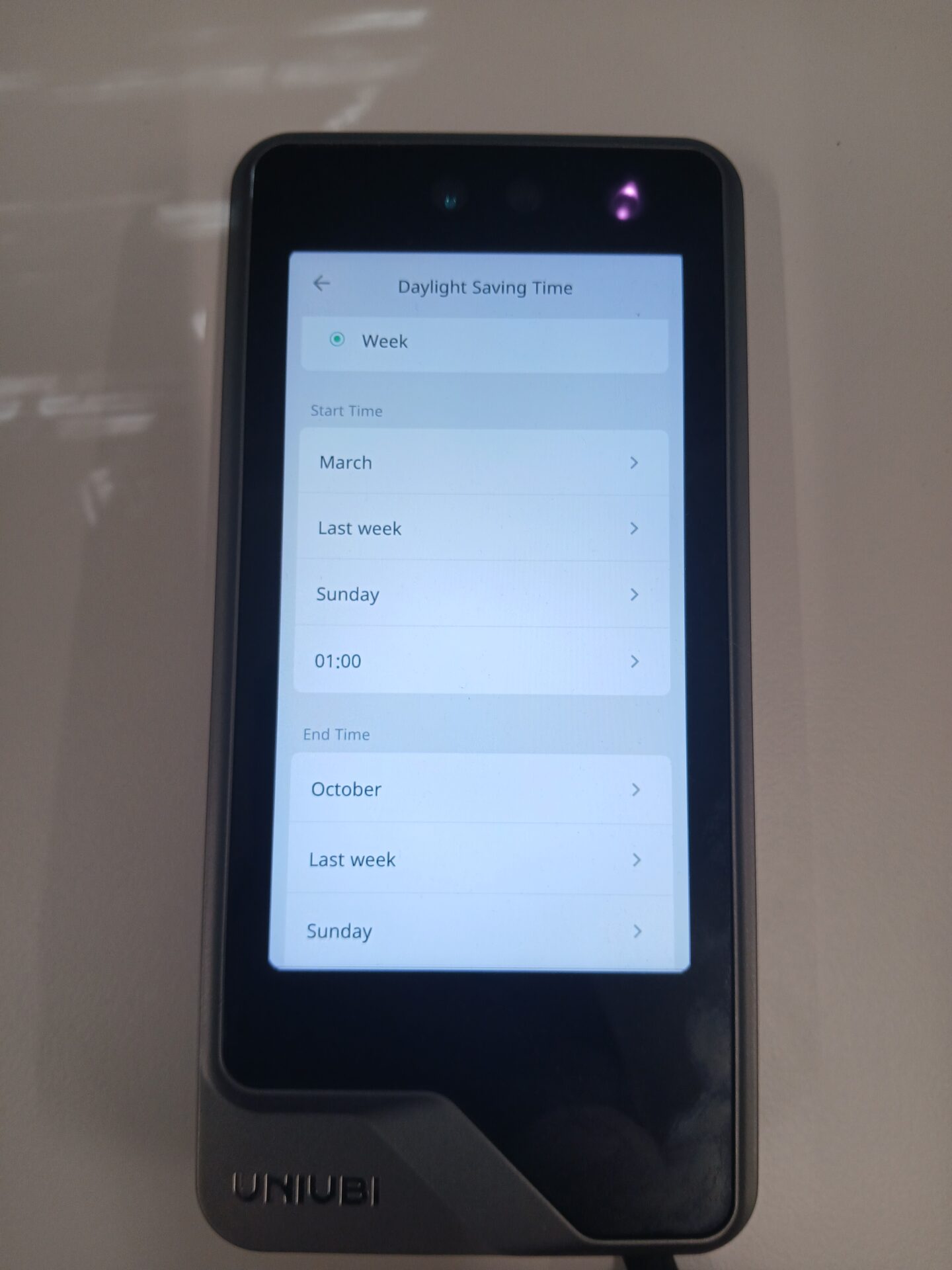
Omdat de Timezone Interval vaste data gebruikt, moet deze jaarlijks handmatig worden bijgewerkt. Overweeg om in plaats daarvan de methode via het webportaal te gebruiken, waarbij deze slechts één keer moet worden ingesteld.
Artikel 2 | De zomertijd instellen via het webportaal (aanbevolen)
Stap 1: Log in op het webportaal
U moet verbinding hebben met hetzelfde netwerk als het apparaat. Ga in uw browser naar het IP-adres van het apparaat op poort 8090, bijvoorbeeld. http://192.168.1.121:8090/. Log in met dezelfde beheerdersgegevens als op het apparaat — standaard:
- Gebruikersnaam: Admin
- Wachtwoord: 12354
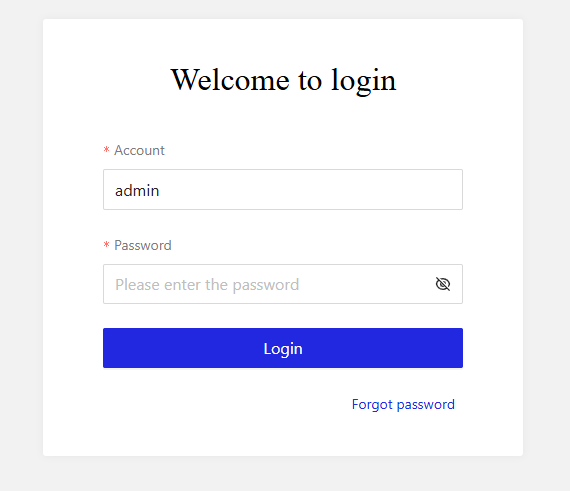
Stap 2: DST inschakelen en het formaat naar Week instellen
Ga naar Systeeminstellingen → Tijd en Datum en zoek het. Zomertijd. Zet het aan en stel het formaat in op Week.
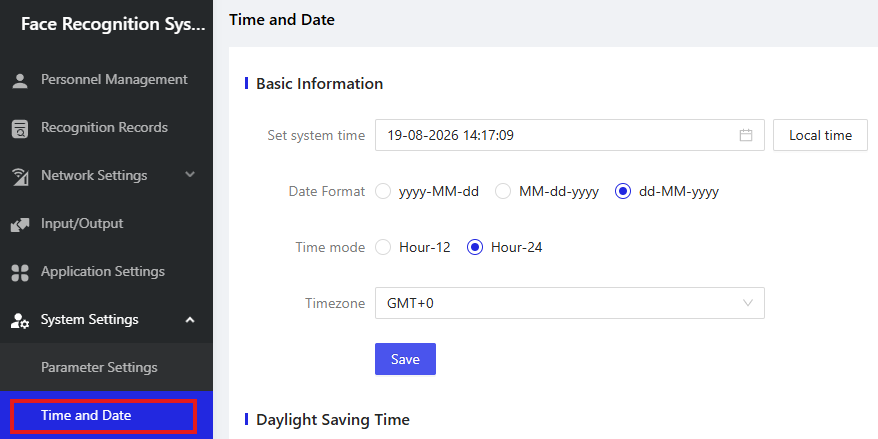
Stap 3: Stel de start-, eind- en offsettijden in
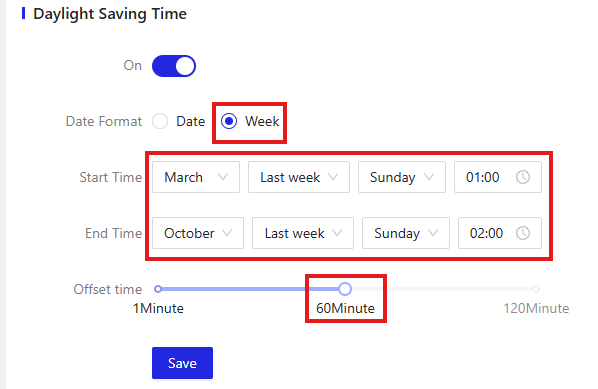
Configureer de volgende instellingen:
- Starttijd: Maart, Laatste Week, Zondag, 01:00
- Eindtijd: Oktober, Laatste Week, Zondag, 02:00
- Afstand: 60 minuten, dus de klok gaat een uur voor en achteruit.
Selecteer Sla Om de instellingen toe te passen.
Hebt u hulp nodig bij het instellen van de zomertijd op uw Uni-Ubi-apparaat?
Als u problemen ondervindt bij het instellen van de zomertijd of andere apparaatinstellingen, staat ons supportteam u graag te helpen.

















 English (UK)
  English
  English (Canada)
  Français du Canada
  Svenska
  Português
  Nederlands
  Italiano
  Français
  Español
  Deutsch