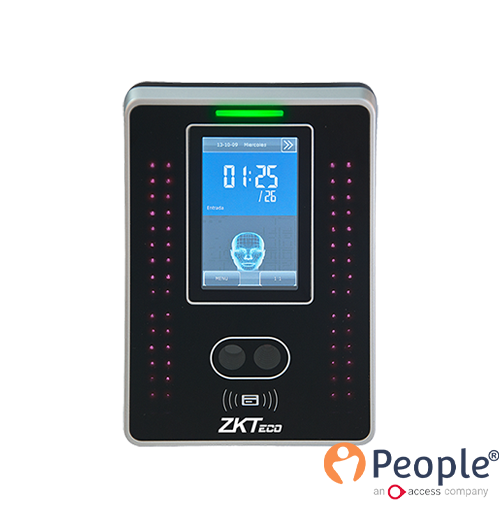
Als u de Idency PeopleHR-plugin, Uw tijdregistratie omvat een klokapparaat die de ruwe klokgegevens van werknemers registreert en opslaat. Het bevat ook de plugin die ClockReportsXE software. Deze software haalt deze gegevens dan op van het apparaat, slaat ze op in zijn eigen database en stuurt de gegevens vervolgens door naar PeopleHR. Dit gebeurt allemaal automatisch (meestal ingesteld op elke 30 minuten) en de gegevens worden dan automatisch ingevuld in PeopleHR, klaar voor beheer.
Dit betekent dat als de klokken vervolgens handmatig worden bewerkt/bijgewerkt binnen PeopleHR, ClockReports autosynchronisatie overschrijft deze bewerkte gegevens met de onbewerkte opgenomen gegevens bij elke autosynchronisatie.. Er zijn echter 2 stappen om dit te voorkomen, zodat het mogelijk is om gegevens te bewerken met voortdurende automatische synchronisatie zonder dat gegevens worden overschreven of verloren gaan.
De 2 stappen die je moet volgen om dit probleem te voorkomen. Dit houdt in dat je ervoor moet zorgen dat de juiste automatische synchronisatie-instellingen worden toegepast binnen KlokRapporten en ervoor te zorgen dat handmatige bewerkte/bijgewerkte klokrecords op een geschikt moment worden gemaakt. Volg hiervoor de onderstaande procedure:
Afbeelding 1

Afbeelding 2

Nu we de KlokRapporten automatische synchronisatie is ingesteld om alleen de ‘Vandaag’ records te synchroniseren, kunnen we veilig records bewerken voor elke dag vóór de huidige datum.
Als we records op dezelfde dag bewerken, worden ze nog steeds overschreven door KlokRapporten. Het is vandaag bijvoorbeeld donderdag en tijdens de lunch bewerk ik klokken van medewerkers die vanochtend hebben geklokt. Ik zeg dat ze om 8:47 uur hebben geklokt en rond dit handmatig af naar 9:00 uur. Ik laat ClockReports alleen de ‘vandaag’ gegevens automatisch synchroniseren, wat elke 30 minuten gebeurt. Binnen 30 minuten of minder veranderen de gegevens die ik zojuist heb gecorrigeerd naar 9:00 automatisch terug naar 8:47 vanuit de onbewerkte gegevens die de bewerking overschrijven.
In plaats daarvan ga ik alleen klokken van de dag ervoor bewerken om dit te voorkomen. Het is vandaag bijvoorbeeld donderdag en tijdens de lunch bewerk ik de klokken van werknemers die woensdagochtend hebben geklokt. Ze klokten om 8:47 uur en ik rond dit handmatig af naar 9:00 uur. KlokRapporten synchroniseert nog steeds elke 30 minuten automatisch de ‘Vandaag’-gegevens, maar dit heeft geen invloed op mijn bewerkte records. Dit komt omdat ClockReports geen gegevens van woensdag (gisteren) synchroniseert. Vanaf morgen kan ik de records van donderdag bewerken.
Nu beide stappen zijn gevolgd, zal dit probleem niet meer voorkomen.
Voor meer informatie en algemeen advies over onze producten en diensten kunt u terecht op contact met ons opnemen.Heb je meer ondersteuning nodig?
Alles zoeken Kennisbank artikelen
Stuur een Ondersteuningsverzoek naar het Idency-ondersteuningsteam















 English (UK) English (UK)
  English
 English (Canada)
 Français du Canada
 Nederlands
 Svenska





















