×

Anviz T50 instellen

How do you set up the Anviz T50?

  • Before installation the device will need to be connected to a PC via USB to setup the network configuration.
  • Once the device is added in Setup Device screen the Device ID needs to be changed to 0
  • Within the same screen navigate down to check to see if the Serial Number is correctly updated with your device
  • Then select Sync All Devices
  • Select Config
  • This will bring up the Advanced Time Clock Configuration
  • If you have followed all the steps correctly the MAC field should be populated and it is crucial that this is shown within the Network tab
  • Fill out the IP, Net Mask etc.. details as confirmed with your IT department that this static IP is free to use and can be allocated to the device
  • Select Upload Network Settings
  • This will then send the network details to the device and will now be connected

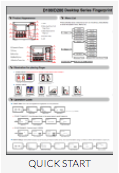
See below quick start set up and user manuals for the Anvis T50

screen-shot-2016-11-25-at-15-36-31
screen-shot-2016-11-25-at-15-36-39

Voor meer informatie en algemeen advies over onze producten en diensten kunt u terecht op contact met ons opnemen.


Heb je meer ondersteuning nodig?

Alles zoeken Kennisbank artikelen

Stuur een Ondersteuningsverzoek naar het Idency-ondersteuningsteam

In goed gezelschap: enkele klanten van Idency