


































Go2Clock : Suivi de l’activité du gestionnaire
Go2Clock propose différentes méthodes pour surveiller l’activité des utilisateurs au sein du système. Les journaux créés peuvent être utiles lors de l’audit des modifications, lors de l’investigation d’activités inattendues ou lors de l’analyse de la manière dont les utilisateurs accèdent et utilisent Go2Clock. Go2Clock.
Étape 1 : Examiner le journal d’activité du système
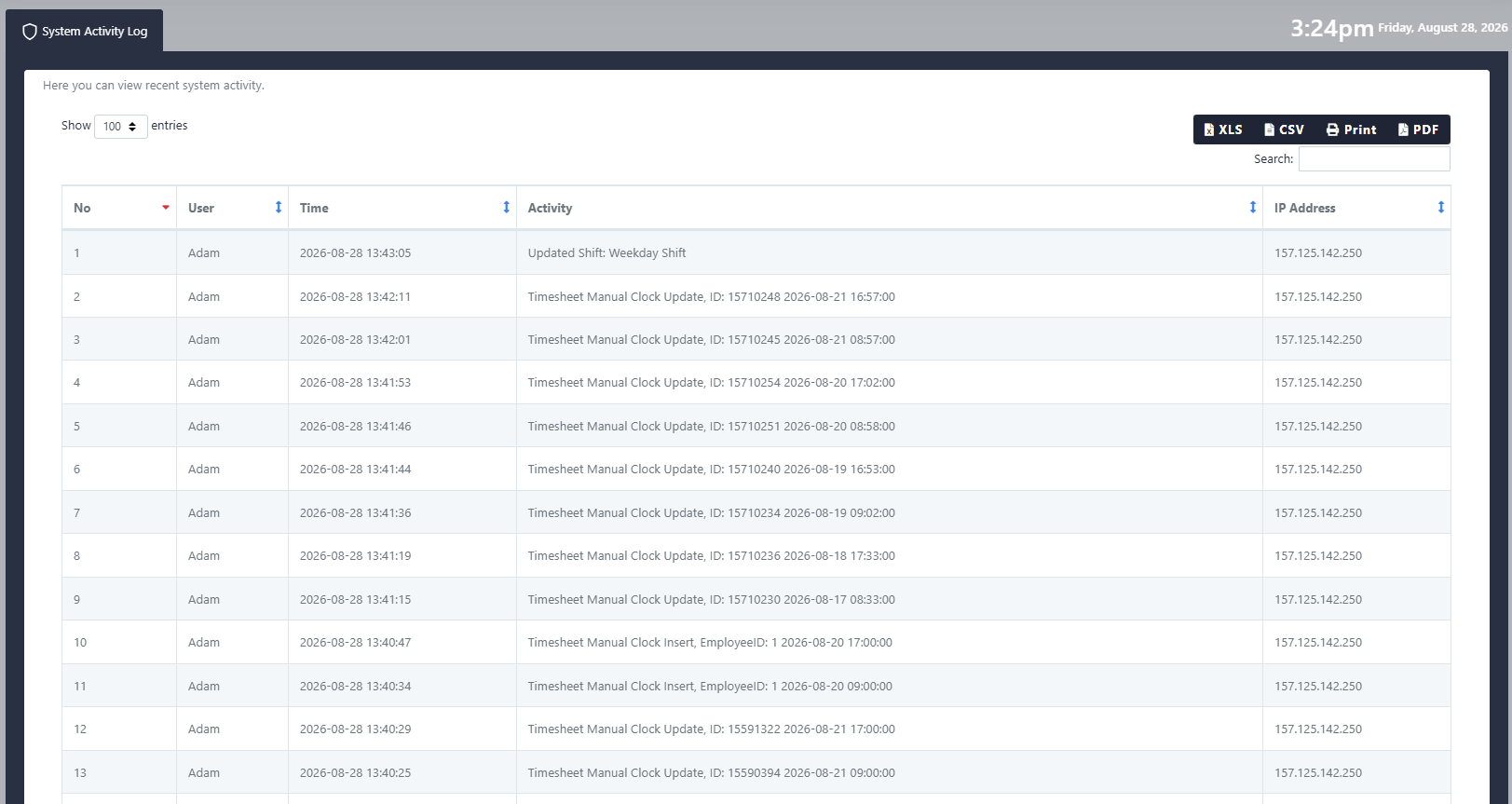
Le journal d'activité du système enregistre les modifications et les actions effectuées dans Go2Clock, fournissant ainsi un historique permettant d'identifier des activités irrégulières ou problématiques. Il peut également être utilisé pour enquêter sur les modifications effectuées intentionnellement ou par inadvertance.
Vous pouvez l'ouvrir de deux manières :
- Sélectionnez votre profil en haut à droite de l’écran et choisissez Journal d'activité du système du menu déroulant
- Utilisez le menu situé à gauche et sélectionnez Journal d'activité du système
Le journal indique les actions effectuées par les utilisateurs, que ce soit la création, la modification ou l’effacement de données.
Étape 2 : Consulter l’activité d’accès d’un utilisateur
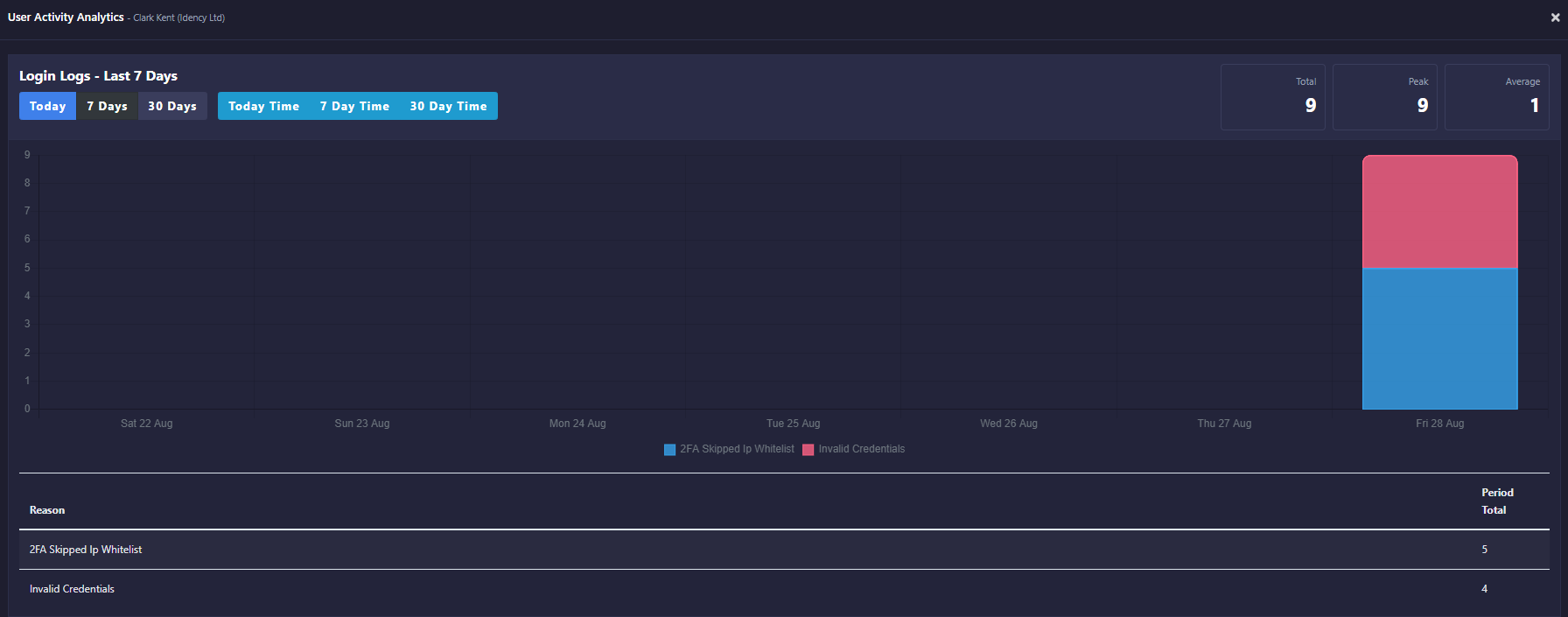
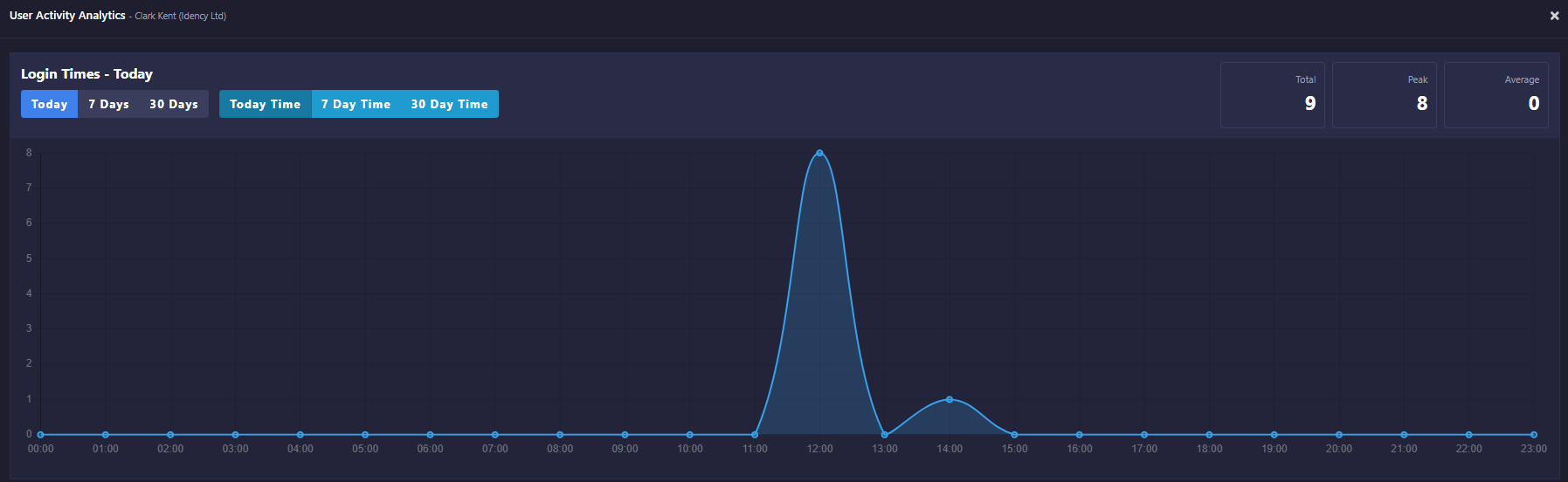
La section « Registre des activités des utilisateurs » vous permet de consulter l’historique des connexions et des activités des utilisateurs individuels.
- Naviguez jusqu’à « Comptes d’utilisateur système »
- Trouvez l’utilisateur pertinent
- Sélectionner Activités contre l'utilisateur
Cela affiche les tentatives d’accès, les connexions réussies et le temps passé sur Go2Clock. L’activité peut être analysée au cours d’une journée, d’une semaine ou d’un mois, ce qui est utile pour surveiller l’accès des utilisateurs et repérer les connexions inhabituelles ou inattendues.
Avez-vous besoin d'une aide pour surveiller les activités dans Go2Clock ?
Si vous avez des questions concernant le journal d’activité du système ou l’activité d’authentification des utilisateurs, notre équipe d’assistance est à votre disposition.

Go2Clock Système de gestion du temps et des présences hébergé dans le nuage

















 English (UK)
  English
  English (Canada)
  Français du Canada
  Svenska
  Português
  Nederlands
  Italiano
  Français
  Español
  Deutsch