


































Go2Clock: Come importare il personale da PeopleHR
Prima di utilizzare l'importazione del personale di PeopleHR, assicurarsi che la connessione API di PeopleHR sia stata configurata in Go2Clock. Se la connessione API non è ancora configurata, si prega di consultare questo articolo della base di conoscenza: Come connettere PeopleHR a Go2Clock
Passaggio 1: Crea un nuovo reparto
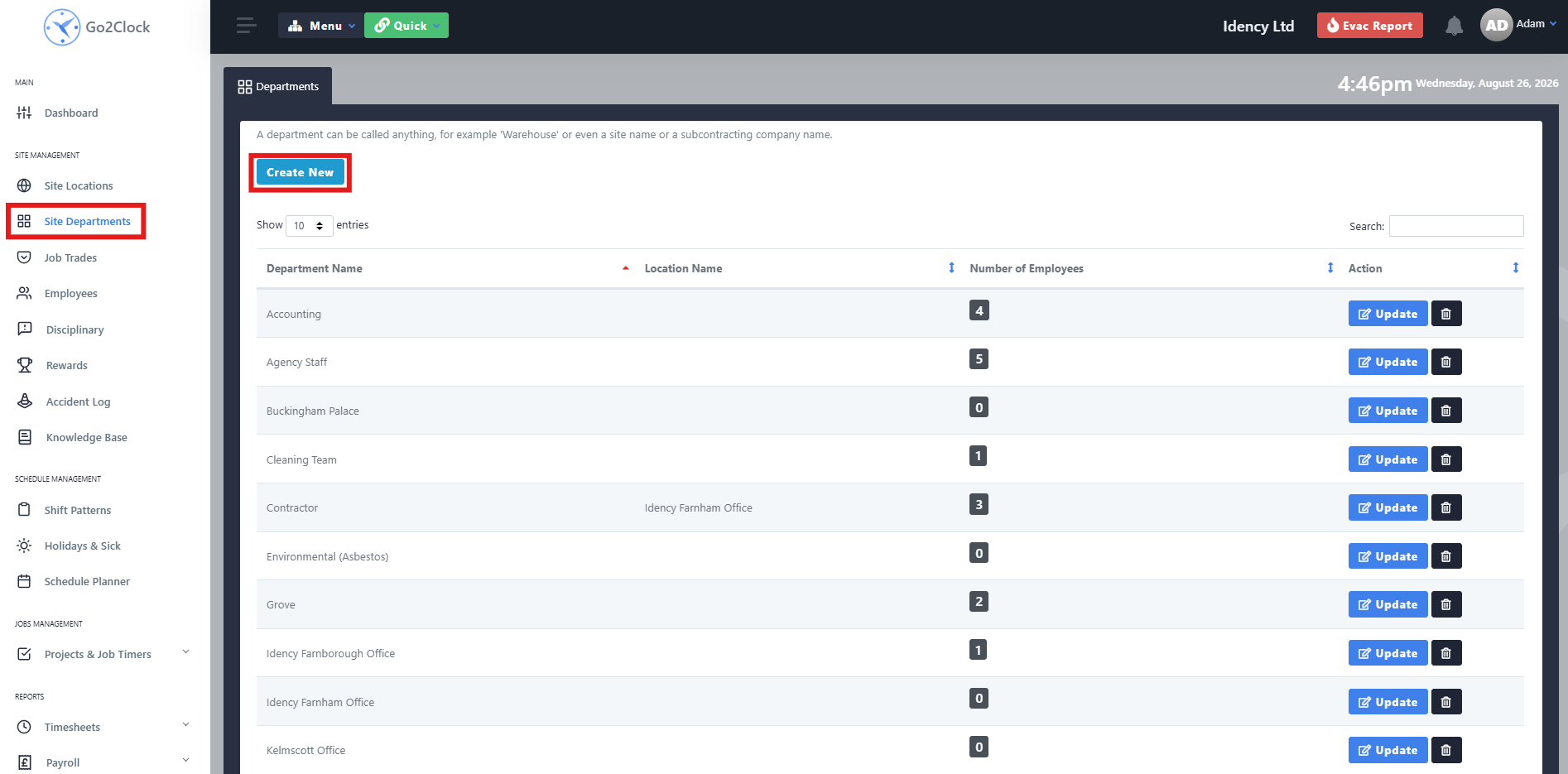
Prima di importare i dipendenti direttamente da PeopleHR in Go2Clock, è necessario prima verificare che tutti i reparti di PeopleHR siano già stati creati in Go2Clock. Ciò assicura che i dipendenti vengano automaticamente assegnati al reparto giusto al momento dell’importazione.
- Vai ai reparti del sito
- Seleziona Crea nuovo
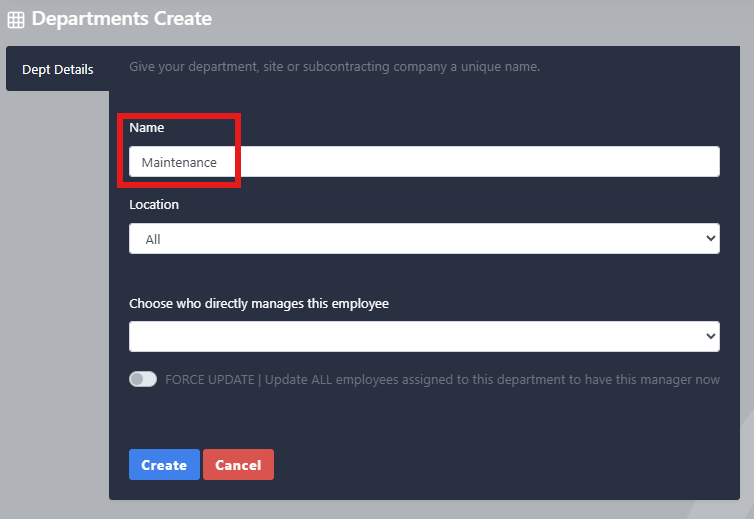
Passaggio 2: Denomina e crea il dipartimento
- Inserisci il nome del dipartimento
- Seleziona Crea
Ripetete questo processo finché tutti i vostri reparti HR non saranno stati creati in Go2Clock
Passo 3: Importare i dipendenti di PeopleHR
Una volta stabilita la connessione con l’API di PeopleHR e create le dipartiture necessarie, è possibile importare i dipendenti da PeopleHR.
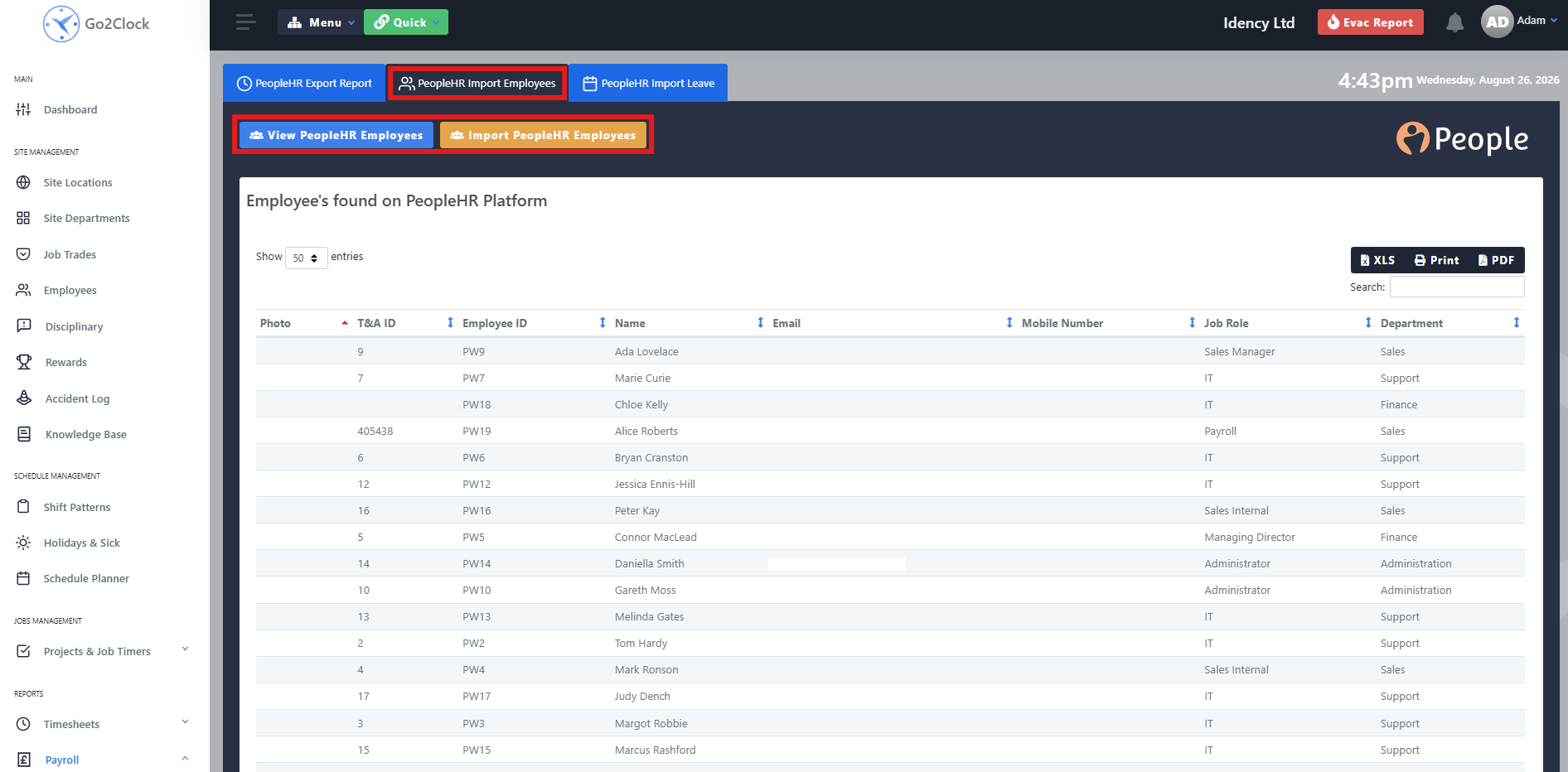
- Vai a Stipendi
- Seleziona PeopleHR Import & Import
- Nella parte superiore dello schermo, seleziona PeopleHR importa i dipendenti
Da questa scheda puoi visualizzare i dipendenti di Sage HR che verranno importati in Go2Clock prima di procedere all'importazione, mostrando tutte le informazioni che saranno trasferite. Una volta pronto, seleziona Importare i dipendenti. Go2Clock poi recupererà le informazioni relative ai dipendenti da PeopleHR e le creerà.
I dipendenti vengono automaticamente collegati al relativo ID Personale di PeopleHR, consentendo a Go2Clock di identificarli quando si utilizzano altre funzioni di integrazione di PeopleHR, come l’importazione dei permessi e l’esportazione dei dati orari. È possibile eseguire nuovamente l’importazione in qualsiasi momento in cui un nuovo dipendente viene aggiunto a PeopleHR: solo i dipendenti non già presenti su Go2Clock verranno aggiunti.
Hai bisogno di aiuto per importare il personale di PeopleHR?
Se riscontri problemi durante la connessione a PeopleHR o durante l’importazione dei dipendenti, il nostro team di supporto è lieto di aiutarti.

Sistema di presenze e assenze Go2Clock Cloud Hosted

















 English (UK)
  English
  English (Canada)
  Français du Canada
  Svenska
  Português
  Nederlands
  Italiano
  Français
  Español
  Deutsch