


































Go2Clock : Qu’est-ce que le métier d’ouvrier ?
Job Trades ne propose actuellement aucune fonctionnalité dans ce domaine. Go2Clock et ne sont qu’un champ supplémentaire qui peut être attribué aux employés afin de définir le rôle qu’ils exercent au sein de leur département.
Les Job Trades peuvent être utiles lors de la gestion d’une grande équipe de travail, car ils permettent de repérer rapidement le rôle d’un employé au sein de son département sans avoir besoin de consulter son profil complet. Une fois attribué, un Job Trade apparaît dans l’historique de l’employé et peut être utile lors de la consultation ou de la recherche dans les listes d’employés.
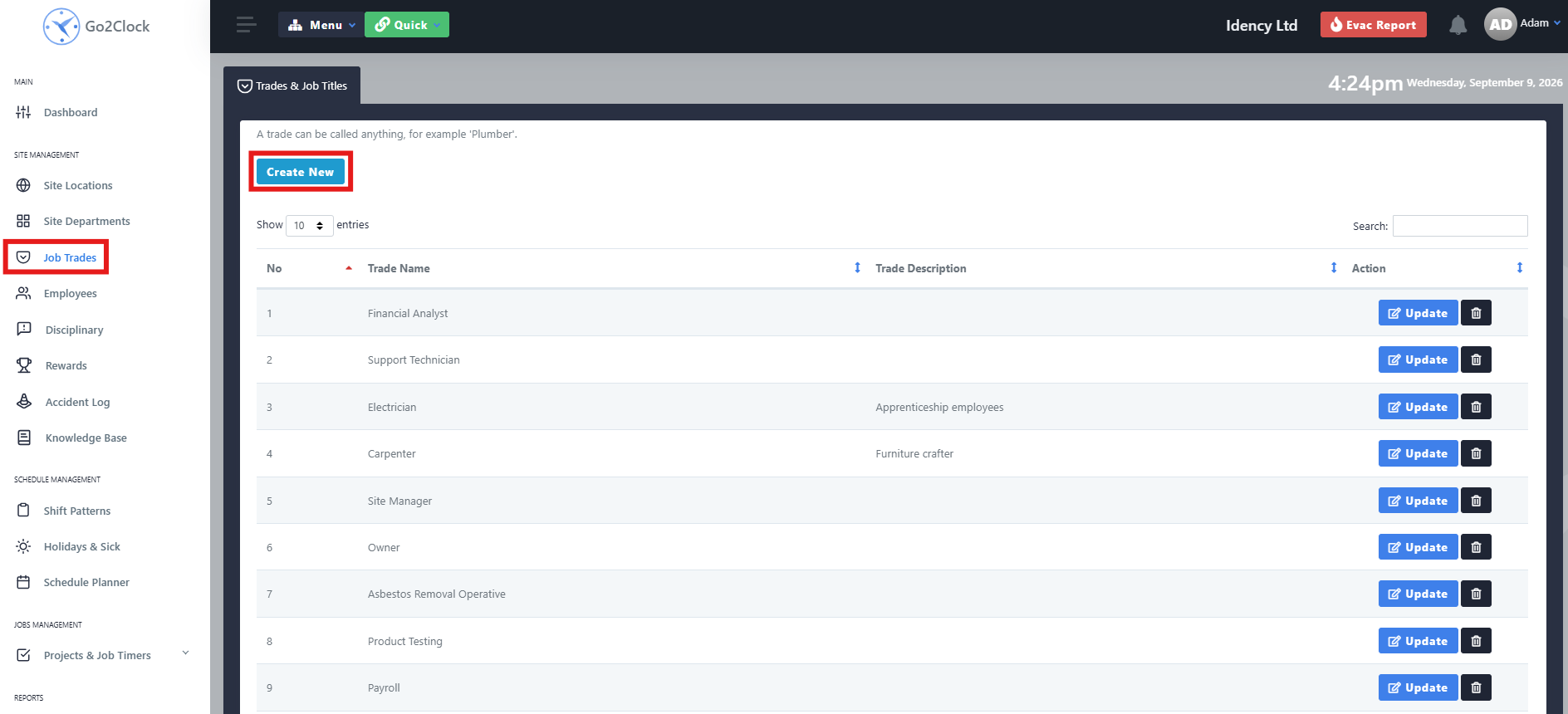
Étape 1 : Initier un nouveau commerce de travail
- Naviguez jusqu’à « Travaux d’entretien »
- Sélectionner Créer un nouveau
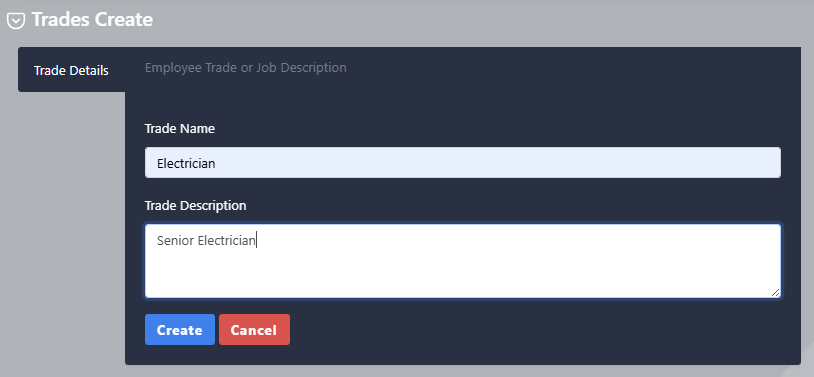
Étape 2 : Nommer et créer le métier de travail
- Entrez le nom commercial de l’entreprise
- Entrez une description, si nécessaire
- Sélectionner Créer
Une fois créé, le Job Trade peut être attribué aux employés concernés. Si vous téléchargez les employés à l’aide de l’importation massale, assurez-vous que le champ « Job Trade » utilise le nom exact du Job Trade créé dans Go2Clock.
Avez-vous besoin d'aide pour configurer Job Trades dans Go2Clock ?
Si vous avez des questions concernant la création ou l’attribution de Job Trades, notre équipe d’assistance est à votre disposition.

Système de gestion des temps et des présences hébergé dans le cloud Go2Clock

















 English (UK)
  English
  English (Canada)
  Français du Canada
  Svenska
  Português
  Nederlands
  Italiano
  Français
  Español
  Deutsch