


































Go2Clock: O que são empregos especializados
O Job Trades atualmente não oferece nenhuma funcionalidade dentro do aplicativo. Go2Clock e são simplesmente um campo adicional que pode ser atribuído aos funcionários para identificar a função que desempenham no seu departamento.
Os Trades de Trabalho podem ser úteis quando se administra uma grande força de trabalho, pois permitem identificar rapidamente o papel de um funcionário dentro do seu departamento sem precisar consultar o perfil completo dele. Após atribuído, um Trades de Trabalho aparece no registro do funcionário e pode ser útil durante a revisão ou pesquisa em listas de funcionários.
Passo 1: Comece um novo negócio de troca de trabalho
- Navigue para "Trabalhos"
- Selecionar Criar novo
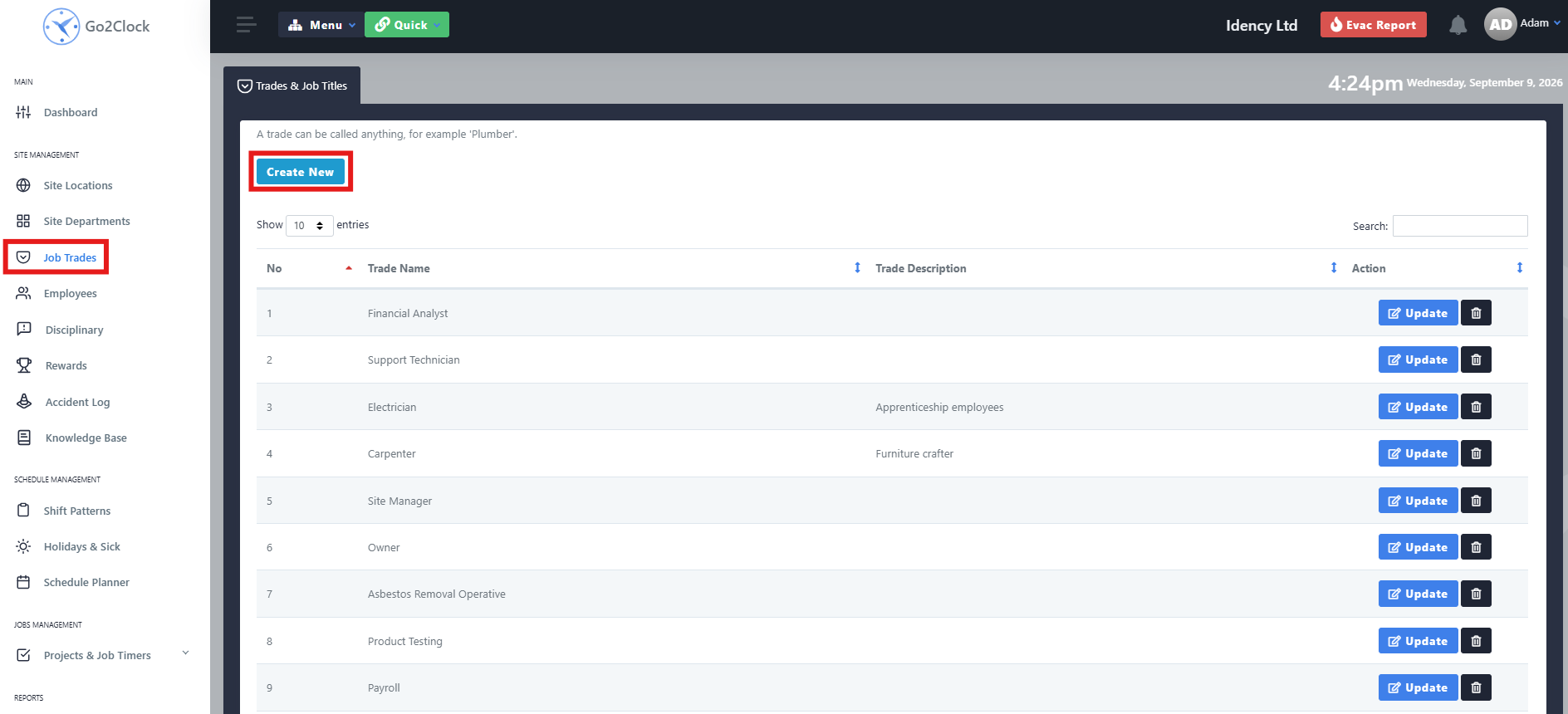
Passo 2: Nomeie e crie o Job Trade
- Digite o nome do trabalho
- Digite uma descrição, se necessário
- Selecionar Criar
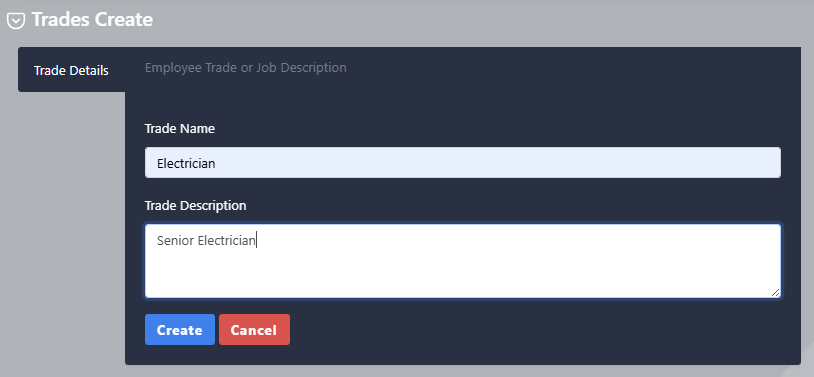
Uma vez criado, o Job Trade pode ser atribuído aos funcionários relevantes. Se estiver a carregar funcionários através de importação em massa, certifique-se de que o campo Job Trade use o nome exato do Job Trade criado no Go2Clock.
Precisa de ajuda para configurar o Job Trades no Go2Clock?
Se você tiver dúvidas sobre como criar ou atribuir Trabalhos, nossa equipe de suporte está pronta para ajudar.

Sistema de Picagem e Assiduidade Hospedado na Nuvem Go2Clock

















 English (UK)
  English
  English (Canada)
  Français du Canada
  Svenska
  Português
  Nederlands
  Italiano
  Français
  Español
  Deutsch