




































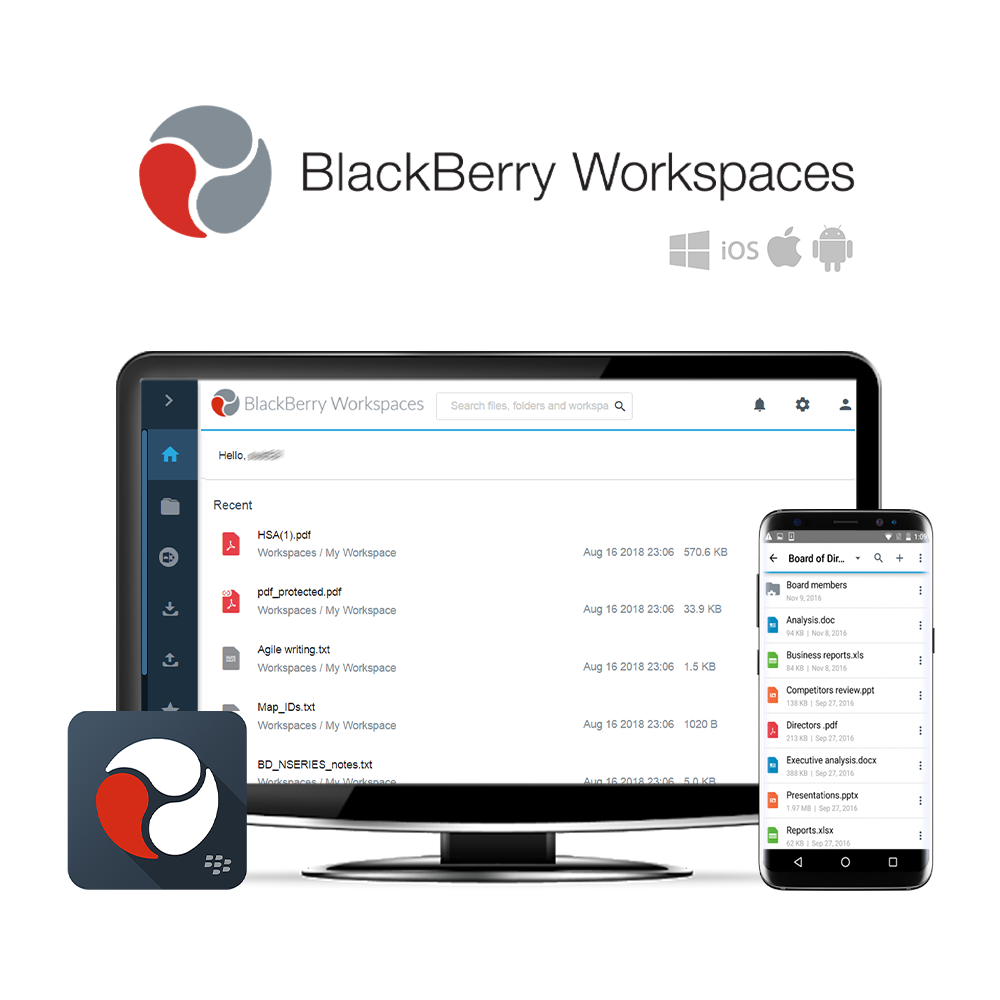
Die sicherste Enterprise-Dateifreigabe
BlackBerry Workspaces ist beste Wahl für sicher Dateispeicher, Synchronisation und Teilen was die Produktivität Ihrer Organisation steigert. Benutzer können Dateien auf allen gängigen Geräteplattformen anzeigen, bearbeiten, kommentieren und gemeinsam daran arbeiten. Die tiefe Integration mit Microsoft Outlook, Microsoft Office, Office 365 und OneDrive ermöglicht es Mitarbeitern, Arbeitsabläufe mit bestehenden Apps fortzuführen, wobei die sichere Dateifreigabe von Workspaces nahtlos integriert ist.
Das flexible Richtlinienmodell von BlackBerry Workspaces erstellt sichere kollaborative Arbeitsbereiche, indem es den Zugriff steuert und Dateiberechtigungen auf Benutzer-, Gruppen- und Domainebene zuweist. Darüber hinaus können Sie Ihren Sicherheitsperimeter über Ihre Firewall hinaus erweitern und so mit externen Benutzern zusammenarbeiten, ohne das Risiko einzugehen, die Kontrolle über das Kerneigentum (IP) zu verlieren oder sensible Personaldaten preiszugeben.
BlackBerry Workspaces ist kompatibel mit Windows und Mac Endpunkte sowie Android und iOS Mobile Geräte. Workspaces ist verfügbar vor Ort und Wolke.
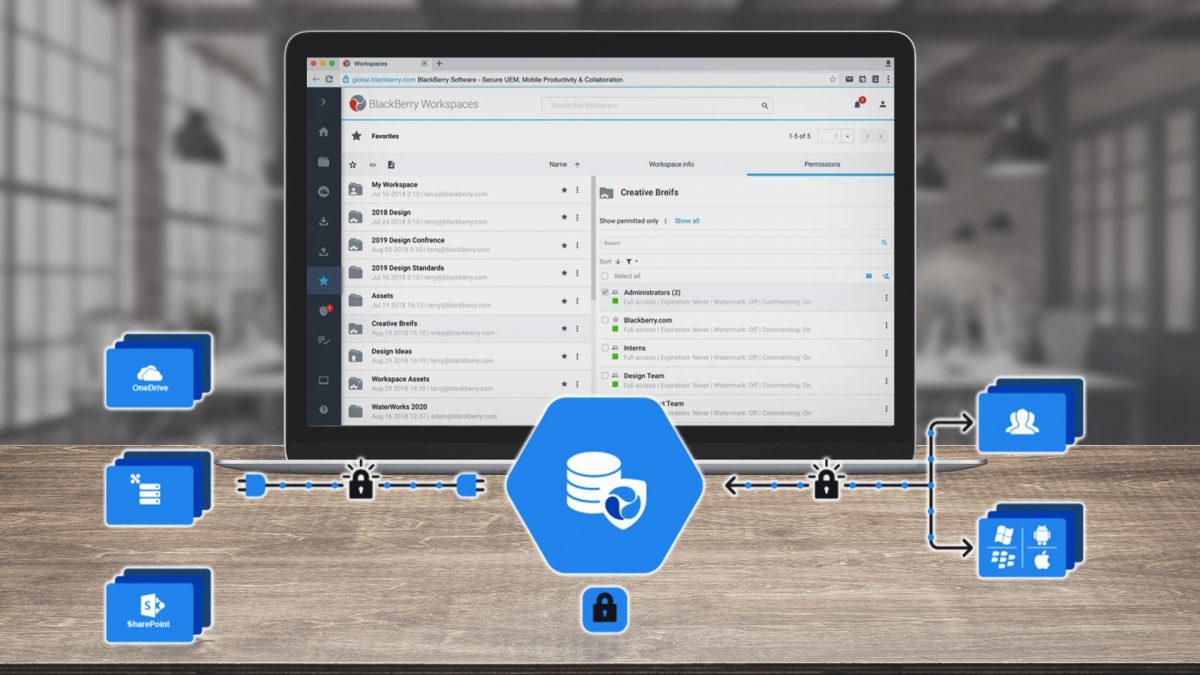
BlackBerry Workspaces – Übersicht
BlackBerry Workspaces Diagramm
Drei Editionen, um Ihre Ambitionen zu nähren
Jede BlackBerry Workspaces Edition bietet sicheren Dateispeicher, Synchronisierung und Freigabe auf jedem Mobil- oder Desktop-Gerät. Die drei Editionen umfassen: Workspaces Senden, Arbeitsbereiche Zusammenarbeiten und Workspaces Secure Plus. Detaillierte Informationen zu den einzelnen Editionen finden Sie in den Abschnitten zu den jeweiligen Editionsspezifikationen unten.
BlackBerry Workspaces Senden
 Cloud
Cloud
20 GB Dateispeicher pro Benutzer
Dokumente auf jedem Gerät anzeigen und bearbeiten
Persönlicher Arbeitsbereich für Speicherung und Freigabe
Apps für Windows, macOS, Android, iOS
 Plug-ins für Microsoft Outlook & Office
Dateiverschlüsselung & Benutzerkontrollen
Freigabe nur zum Betrachten
BlackBerry Workspaces Zusammenarbeiten
‘Senden’-Bereitstellung vor Ort
Unbegrenzter Datei- und Datenspeicher
Gruppenarbeitsbereiche
Zusammenarbeits- / Produktivitätstools
Administratorkonsole/Nutzungsberichte
Erweiterte Sicherheitsfunktionen
Ransomware-Wiederherstellungstool
Single-Sign-On
BlackBerry Workspaces Sicher Plus
Funktionen von ‘Collaborate’
Cloud, On-Premises oder Hybrid
Unbegrenzter Dateispeicher
Inhalts-Konnektoren für CMS
Dateisystemintegration
DRM-/API- und SDK-Zugriff
Fortschrittliche Produktivitätstools
Erweiterte Benutzerverwaltung
Um weitere Funktionen von BlackBerry Workspaces Send, Collaborate und Secure Plus anzuzeigen, siehe den Anhang. Editionsvergleichs-Dokument in einer Medien-Tab.
Datensicherheit, die der Konkurrenz voraus ist
Einzigartige Fünf-Stufen-Sicherheit
Sicherheit reist mit Ihren Dateien, wohin sie auch gehen, selbst außerhalb der Firewall.
Verfolgung und Berichterstattung
Vollständige Aktivitätsprotokolle, um Datenschutz- und Berichterstattungsanforderungen zu erfüllen.
Zusammenarbeit zwischen internen und externen Firewalls
Erstellen Sie kollaborative Arbeitsbereiche und verwalten Sie Zugriff und Berechtigungen nach Gruppen.
Starke Authentifizierung und 2FA
Einmalpasswort (OTP), Benutzer/Passwort & Unterstützung für Zwei-Faktor-Authentifizierung (2FA).
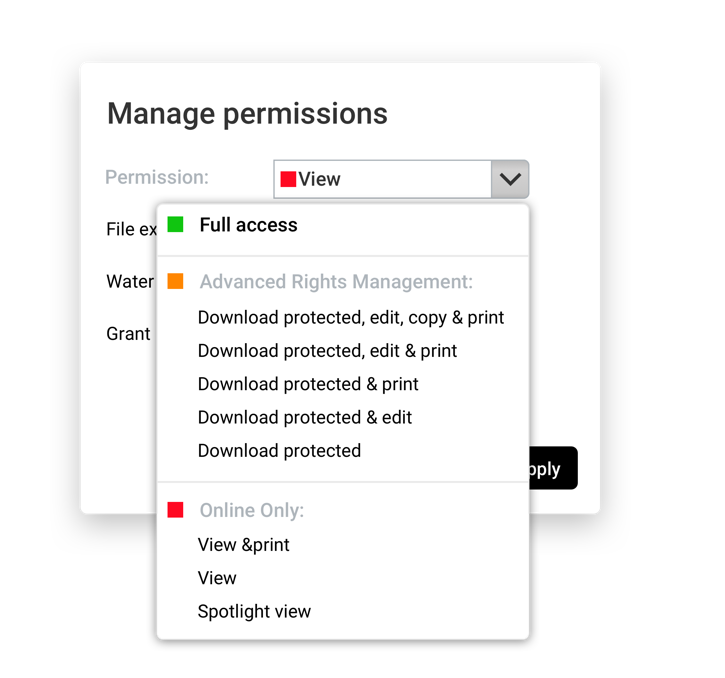
Digitales Rechte-Management
Dateizugriffskontrolle beim Herunterladen und Teilen durch externe Mitarbeiter.
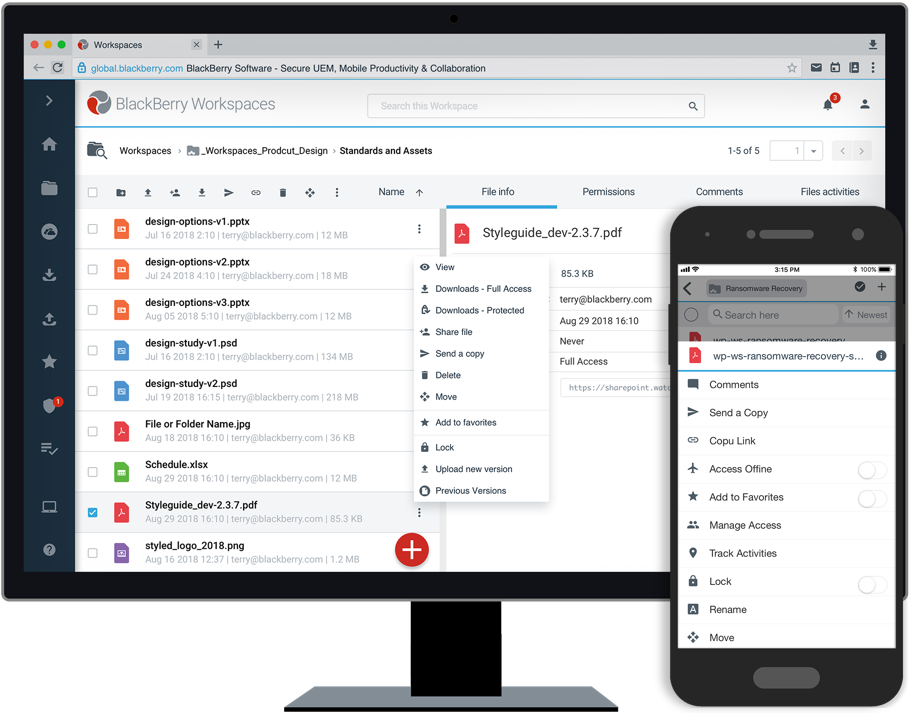
Ransomware-Wiederherstellungstools
Einzigartig Ransomware-Wiederherstellung Funktionen in den Editionen Collaborate und Secure Plus.
Für Preise und weitere Informationen zu Blackberry Workspaces kontaktieren Sie uns bitte.
Kontakt aufnehmen





















 English (UK)
  English
  English (Canada)
  Français du Canada
  Svenska
  Português
  Nederlands
  Italiano
  Français
  Español
  Deutsch