


































Go2Clock: Så här skapar och tillämpar du skiftmönster
Skiftscheman gör det möjligt för anställda att behålla samma veckoarbetstid utan att skiften behöver läggas in upprepade gånger.
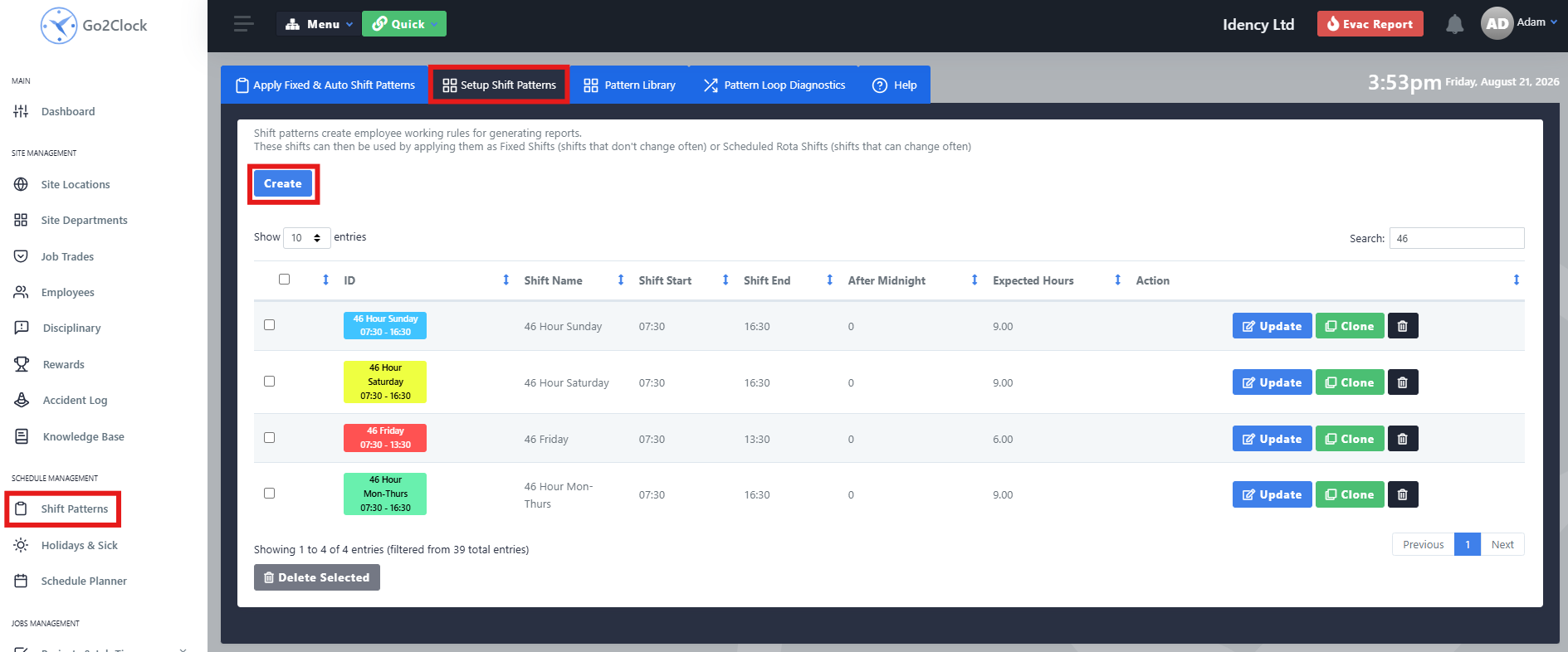
Steg 1: Skapa skiftmönstret
Innan du tillämpar ett skiftschema på en anställd måste du först skapa schemat och konfigurera erforderliga arbetstider och regler.
- Gå till skiftmönster
- Välj Konfigurera skiftmönster
- Välj Skapa
- Konfigurera skiftschemat enligt önskemål
- Välj Skapa för att spara den
Upprepa denna process om du behöver flera skiftmolmönster för olika arbetsarrangemang.
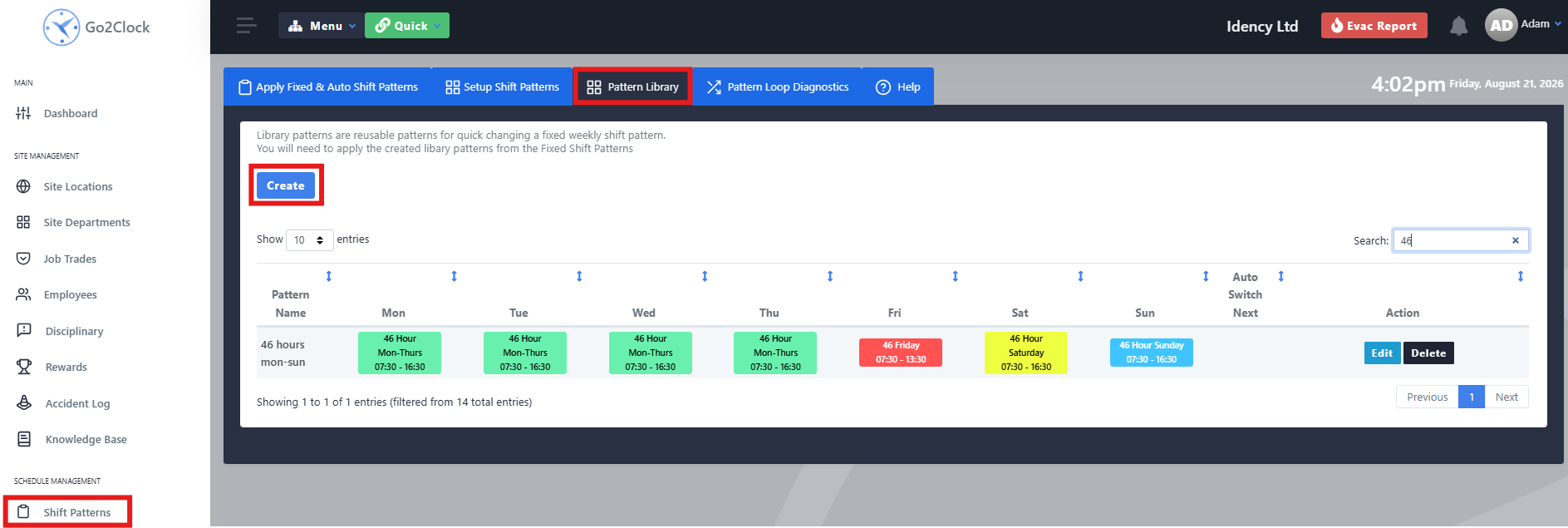
Steg 2: Lägg till skiftmönstret i mönsterbiblioteket
När skiftmönstret har skapats måste det läggas till i mönsterbiblioteket. Detta avgör vilket skiftmönster som tillämpas på varje dag i medarbetarens the arbetschema.
- Gå till skiftmönster
- Välj Mönsterbibliotek
- Välj Skapa
- Skapa den ordinarie veckan genom att tilldela skiftmönstren till varje dag, och namnge den tydligt så att den lätt kan identifieras.
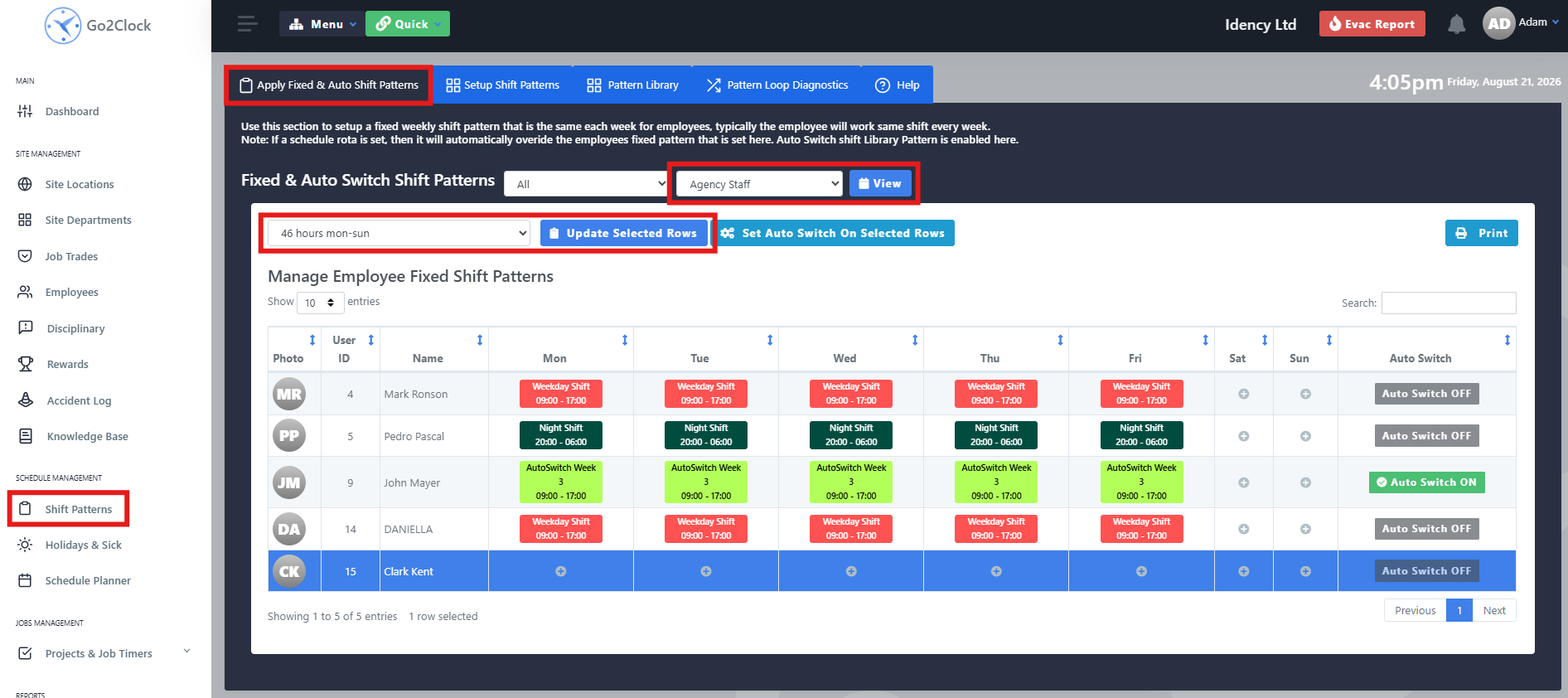
Steg 3: Tillämpa skiftmönstret på anställda
När mönsterbiblioteket har skapats kan du tilldela det till de relevanta anställda.
- Gå till skiftmönster
- Välj Tillämpa fasta och automatiska skiftmönster
- Använd avdelningsfiltret för att hitta de anställda som ska tilldelas skiftmönstret
- Välj Utsikt
- I medarbetarlistan väljer du en medarbetare genom att klicka en gång på dennes namn. Den markerade raden blir blå och flera medarbetare kan väljas samtidigt.
- Välj det mönsterbibliotek som du vill tillämpa på de anställda i listrutan längst upp till vänster
- Välj Uppdatera markerade rader
Steg 4: Bekräfta att skiftschemat har tillämpats
Kontrollera den anställdes rad för att bekräfta att skiftmönstret har tillämpats framgångsrikt. Den anställde bör visa Automatisk avstängning och de relevanta skiftmönstren som visas för dem för den aktuella veckan.

Behöver du hjälp med att lägga upp anpassade skiftscheman?
Om du stöter på några problem när du skapar eller tillämpar ett skiftmönster hjälper vårt supportteam dig gärna.

Go2Clock Cloud Hosted Time & Attendance System

















 English (UK)
  English
  English (Canada)
  Français du Canada
  Svenska
  Português
  Nederlands
  Italiano
  Français
  Español
  Deutsch