



































Go2Clock: Managing Employee Skills
Skills can be assigned to employees in Go2Clock to keep a record of their current skills and training. This can be valuable for monitoring qualifications or training that need to be kept up to date, such as First Aid or other essential workplace training.
Step 1: Open the Employee’s Skills & Training
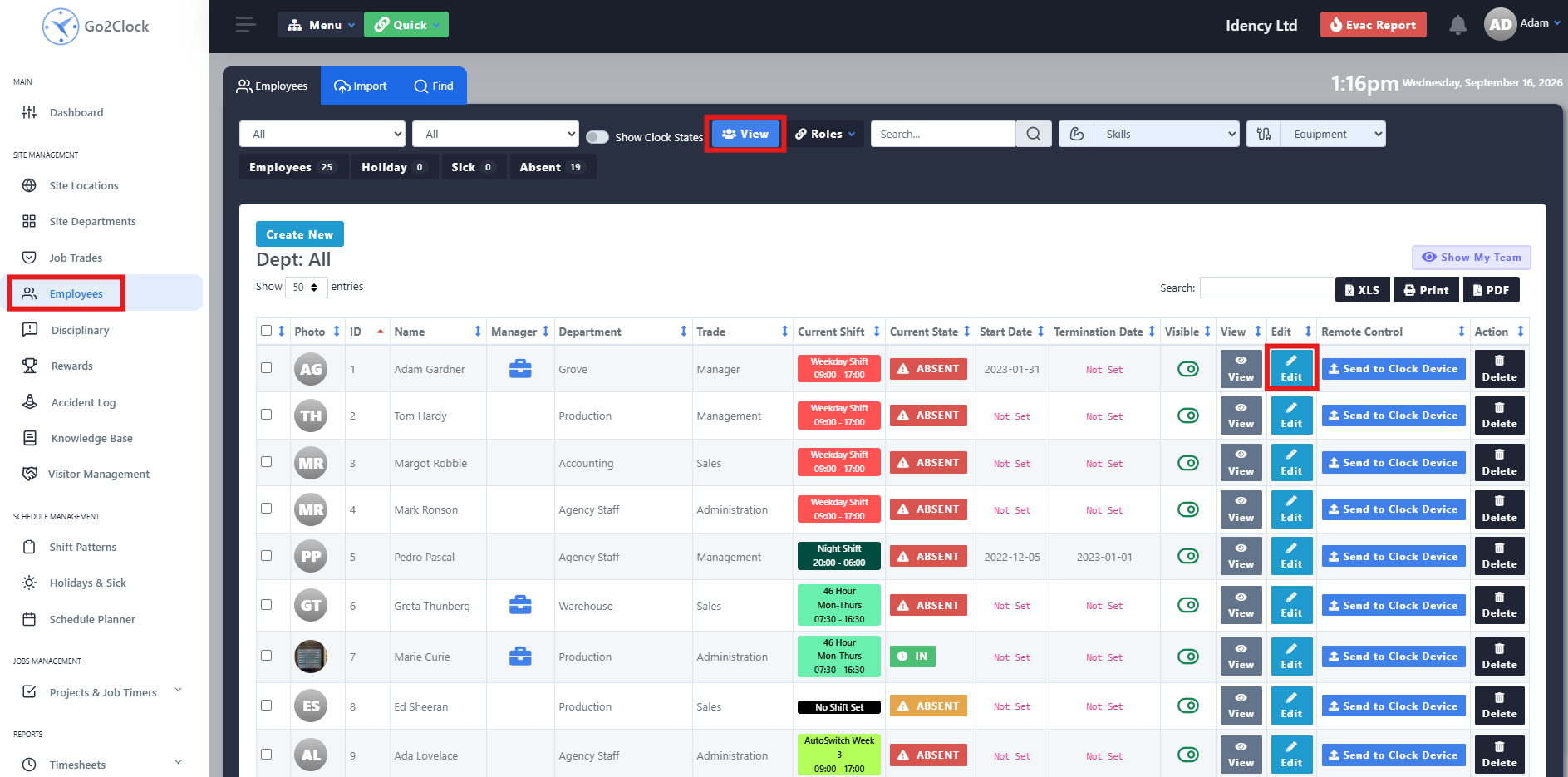
- Navigate to the Employee tab
- Select View
- Find the employee and select Edit against them
- Select Skills & Training
Step 2: Add or Delete a Skill
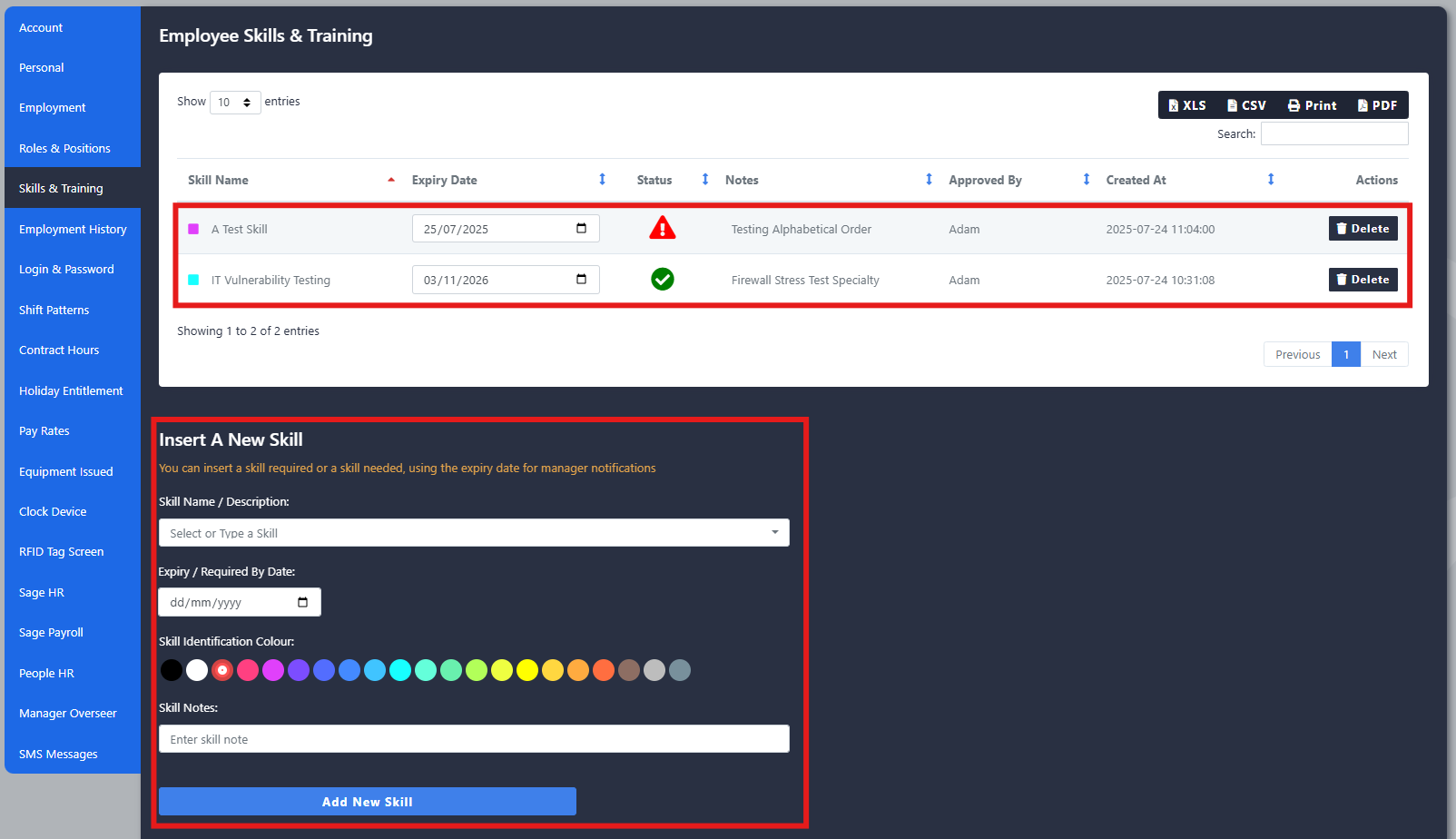
The Skills & Training section shows the skills currently assigned to the employee, along with their status and any other information recorded against them.
To add a new skill, complete the following fields at the bottom of the page:
- Skill Name: the name of the skill or training. Existing skills can be selected from the dropdown
- Expiry: an expiry date, if the skill or training needs to be renewed
- Colour: a colour to help identify the skill
- Note: any additional information that may be useful for the employee’s record
Step 3: Report on Employee Skills
To see which employees have a specific skill:
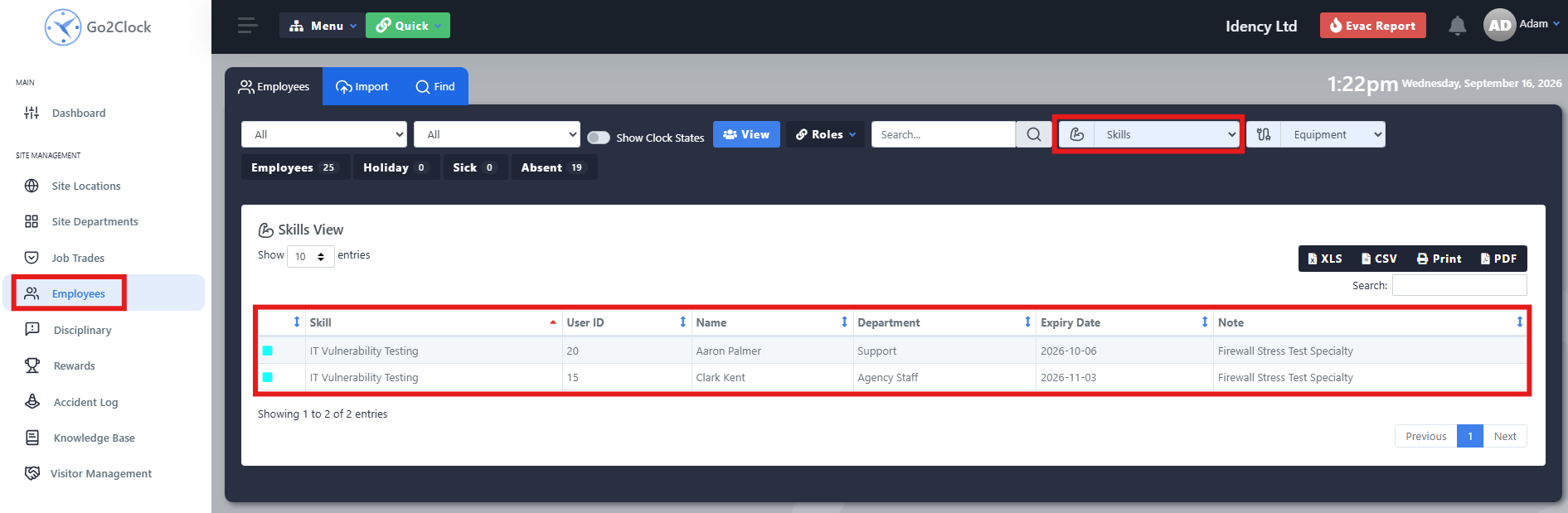
- Navigate to Employees
- Select the Skills dropdown at the top of the screen
- Select the skill you want to view
Go2Clock then displays the employees who have that skill assigned to them.
Step 4: Check Expiring Skills
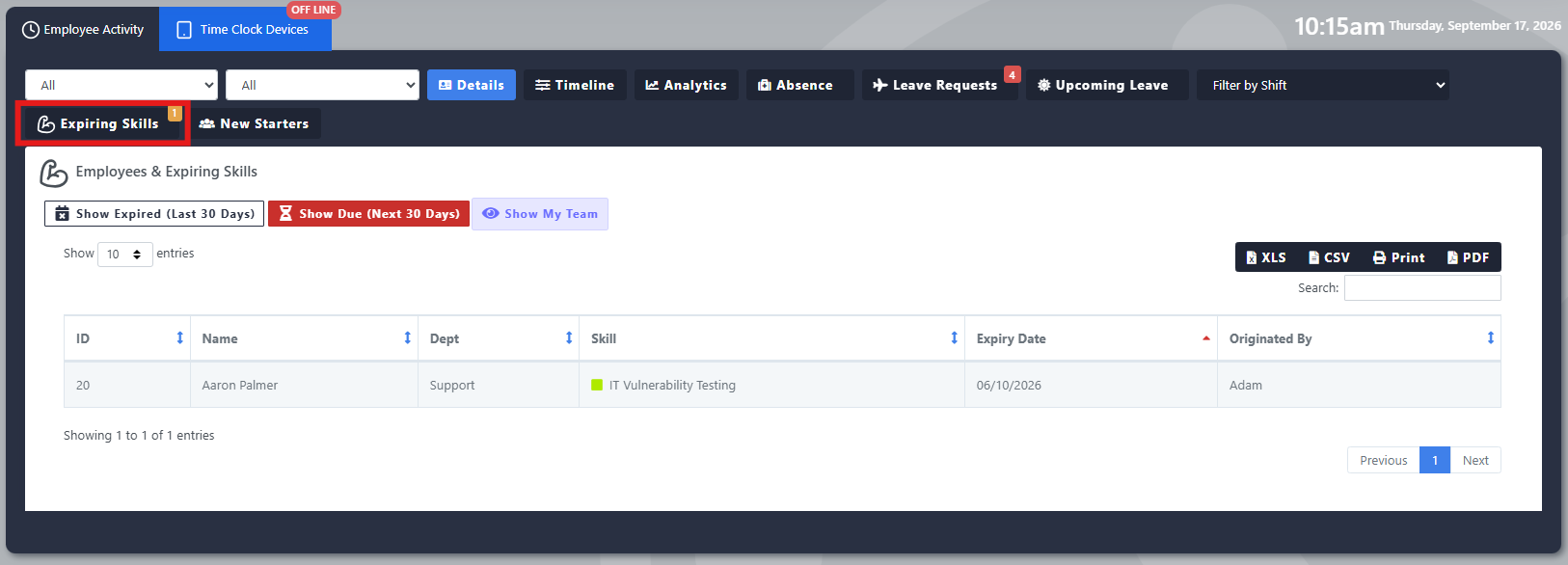
Go2Clock provides an Expiring Skills view within the Dashboard, to help identify skills or training that are approaching their expiry date.
The Expiring Skills tab shows skills due to expire within the next 30 days, so managers can identify upcoming training or qualification renewals. You can also use it to check skills that expired within the previous 30 days, or that are due in the next few months, making it easier to spot employees whose training may already need renewing. This is particularly useful for monitoring time-sensitive qualifications.
Need a hand managing employee skills in Go2Clock?
If you have any questions about recording or reporting on skills and training, our support team is happy to help.

















 English (UK)
  English
  English (Canada)
  Français du Canada
  Svenska
  Português
  Nederlands
  Italiano
  Français
  Español
  Deutsch