



































Configuración del Anviz T50
¿Cómo se configura el Anviz T50?
- Antes de la instalación, el dispositivo deberá conectarse a una PC mediante USB para configurar la red.
- Una vez que el dispositivo se agrega en la pantalla Configurar dispositivo, el ID del dispositivo debe cambiarse a 0
- Dentro de la misma pantalla, desplázate hacia abajo para comprobar si el número de serie se ha actualizado correctamente con tu dispositivo.
- Luego seleccione Sincronizar todos los dispositivos
- Seleccionar configuración
- Esto abrirá la configuración avanzada del reloj fichador
- Si has seguido todos los pasos correctamente, el campo MAC debería estar completo y es fundamental que esto se muestre dentro de la pestaña Red
- Complete la IP, la máscara de red, etc., según lo confirmado con su departamento de TI de que esta IP estática está libre para su uso y se puede asignar al dispositivo.
- Seleccionar Cargar configuración de red
- Esto enviará los detalles de la red al dispositivo y ahora estará conectado
Consulte a continuación la guía de inicio rápido y los manuales de usuario del Anvis T50
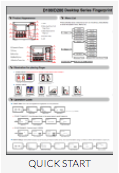
Para obtener más información y orientación general sobre nuestros productos y servicios, por favor Contáctenos.
¿Requiere más ayuda?
Buscar todo Base de conocimiento artículos
Enviar un Solicitud de asistencia Al equipo de soporte de Idency

















 English (UK)
  English
  English (Canada)
  Français du Canada
  Svenska
  Português
  Nederlands
  Italiano
  Français
  Español
  Deutsch