



































Configuração do Anviz T50
Como configurar o Anviz T50?
- Antes da instalação, o dispositivo terá de ser ligado a um PC via USB para configurar a rede.
- Assim que o dispositivo for adicionado no ecrã Configurar Dispositivo, o ID do Dispositivo tem de ser alterado para 0
- No mesmo ecrã, desloque-se para baixo para verificar se o Número de Série está corretamente atualizado com o seu dispositivo
- Depois, selecione Sincronizar Todos os Dispositivos
- Selecionar Configuração
- Isto abrirá a Configuração Avançada do Relógio de Ponto
- Se seguiu todos os passos corretamente, o campo MAC deverá estar preenchido e é fundamental que este seja apresentado no separador Rede
- Preencha os detalhes de IP, Máscara de Rede, etc., conforme confirmado com o seu departamento de TI de que este IP estático está livre para ser utilizado e pode ser atribuído ao dispositivo
- Selecionar Definições de Rede de Carregamento
- Isto enviará de seguida os detalhes da rede para o dispositivo e este ficará ligado
Veja abaixo a configuração de início rápido e os manuais do utilizador para o Anvis T50
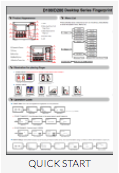
Para mais informações e orientações gerais sobre os nossos produtos e serviços, por favor Contacte-nos.
Necessita de mais apoio?
Pesquisar tudo Base de conhecimento artigos
Enviar um Pedido de suporte Para a Equipa de Apoio da Idency

















 English (UK)
  English
  English (Canada)
  Français du Canada
  Svenska
  Português
  Nederlands
  Italiano
  Français
  Español
  Deutsch