



































Anviz M5: Registro de huellas dactilares/tarjetas RFID de usuarios
Registrar las huellas dactilares y las tarjetas RFID de los empleados en el Anviz M5
Para obtener ayuda con la inscripción del usuario en el Anviz M5, Por favor, consulte el apartado ‘Idency’Guía de instalación y configuración de usuario de Anviz M5‘El vídeo debajo y pasemos al minuto 7:13.
Alternativamente, puede encontrar información útil en el Guía de inicio rápido y Manual de usuario para el Anviz M5.
Registro de Usuarios:
- Primero desliza tu tarjeta de afiliado.
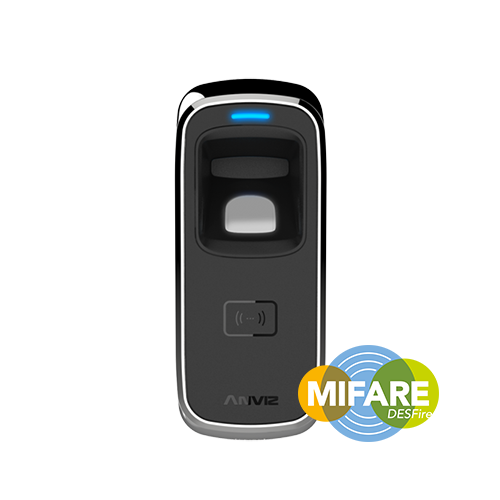
- Cuando la luz LED azul parpadea, coloca tu dedo sobre el sensor, lo que hará que la luz LED azul parpadee rápidamente, iluminando el sensor de huellas dactilares.
- A continuación, retira el dedo y vuelve a colocarlo sobre el sensor hasta que aparezca una luz LED verde, lo que indica un registro exitoso.
- Para completar el proceso de inscripción, desliza la tarjeta de inscripción dos veces hasta que aparezca la luz LED roja, lo que significa que el dedo está registrado.
¿Requiere más ayuda?
Buscar todo Base de conocimiento artículos
Enviar un Solicitud de asistencia Al equipo de soporte de Idency

















 English (UK)
  English
  English (Canada)
  Français du Canada
  Svenska
  Português
  Nederlands
  Italiano
  Français
  Español
  Deutsch