



































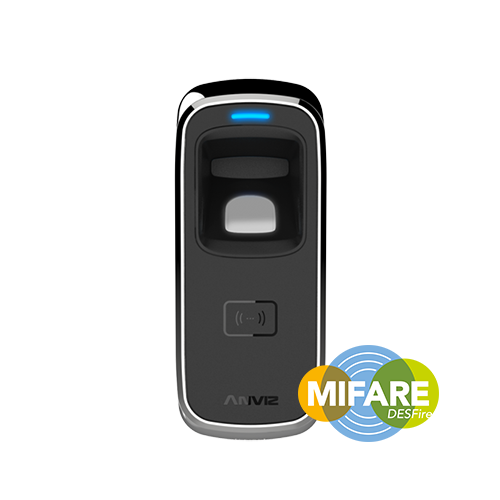
Anviz M5: Benutzer-Fingerabdrücke/RFID registrieren
Prüfung der Fingerabdrücke und RFID-Karten von Mitarbeitern am Anviz M5
Hilfe bei der Registrierung des Benutzers für das Anviz M5, bitte beziehen Sie sich auf Idencys ‘Anviz M5 Installations- und Benutzerhandbuch‘Video unten und Gehen Sie zum Video mit der Nummer 7:13.
Alternativ können Sie hilfreiche Informationen in der Schnellstartanleitung und Benutzerhandbuch für die Anviz M5.
Registrierung von Nutzern:
- Schieben Sie zunächst Ihre Einschreibungskarte.
- Wenn das blaue LED-Licht blinkt, legen Sie Ihren Finger auf den Sensor, wodurch das blaue LED-Licht schnell blinkt und der Fingerabdrucksensor beleuchtet wird.
- Anschließend nehmen Sie den Finger ab und legen ihn erneut auf den Sensor, bis ein grünes LED-Licht erscheint, was die erfolgreiche Registrierung anzeigt.
- Um die Registrierung abzuschließen, schieben Sie die Registrierkarte zweimal, bis das rote LED-Licht erscheint – dies bedeutet, dass der Finger registriert wurde.
Benötigen Sie weitere Unterstützung?
Alle durchsuchen Wissensdatenbank Artikel
Sende eine Support-Anfrage An das Idency-Support-Team

















 English (UK)
  English
  English (Canada)
  Français du Canada
  Svenska
  Português
  Nederlands
  Italiano
  Français
  Español
  Deutsch