



































How to Create New Users Within IdencyTime
This article explains how to create a new user in IdencyTime and assign them the correct role.
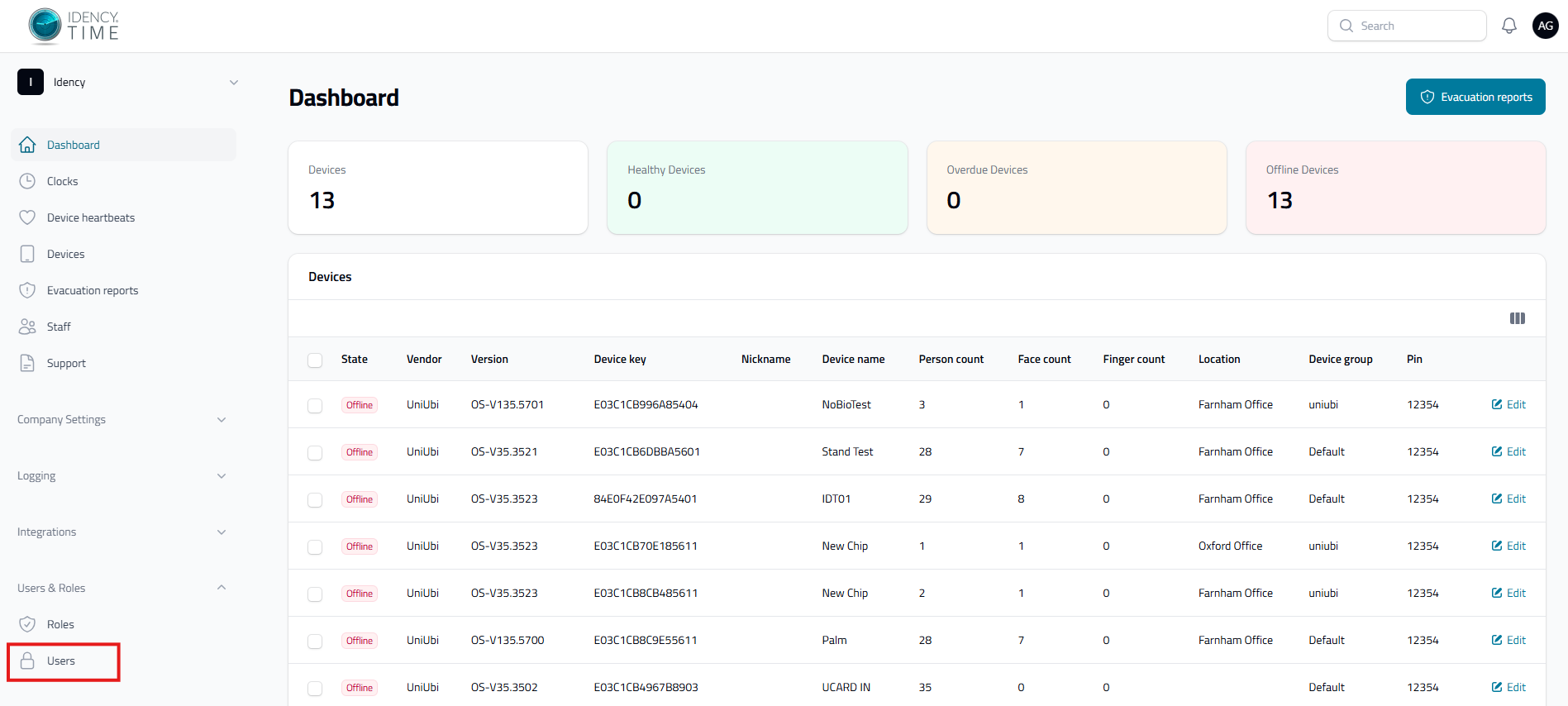
Log into IdencyTime at app.idencytime.com, then navigate to Users & Roles → Users.
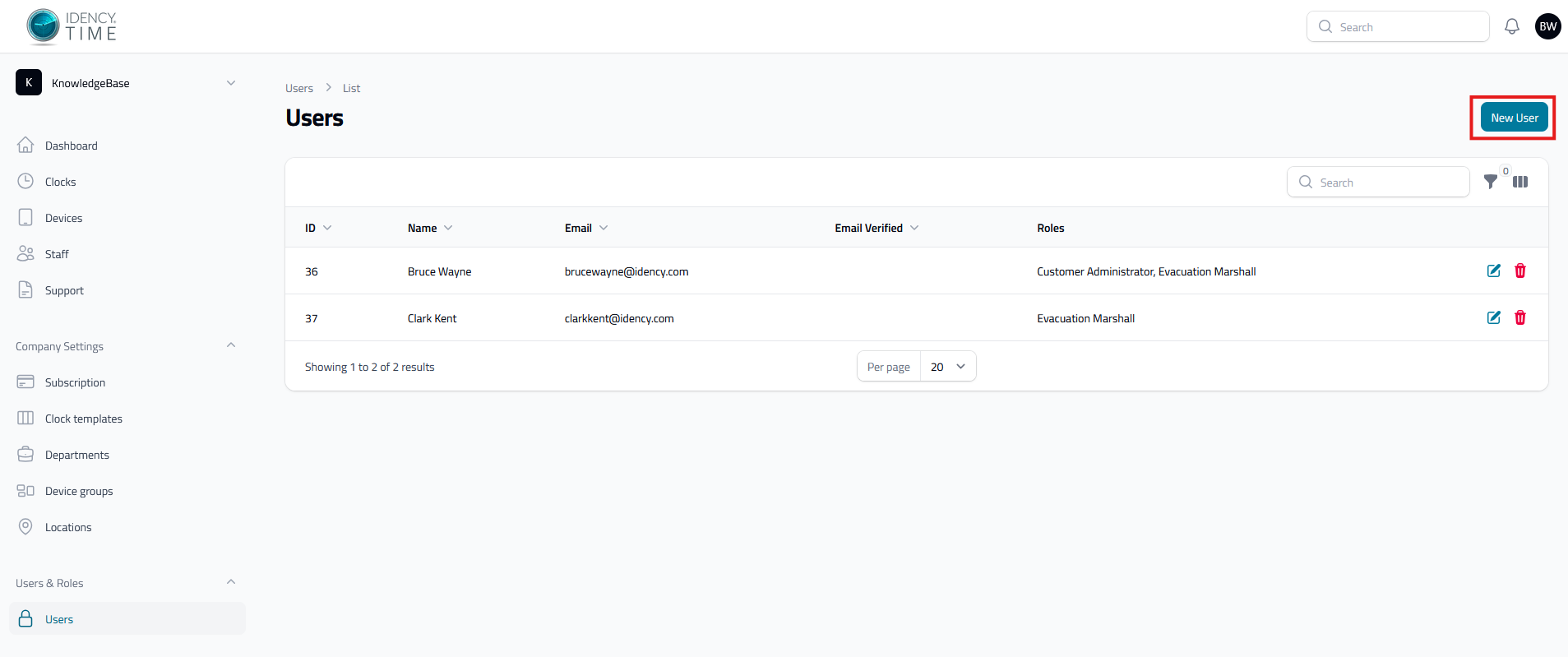
Step 2: Review the User List
This screen shows a list of all current users, including their name, email and assigned roles. From here you can also delete a user using the red bin icon on the right, or edit an existing user’s roles using the edit icon on the right. To create a new user, select Create User in the top right.
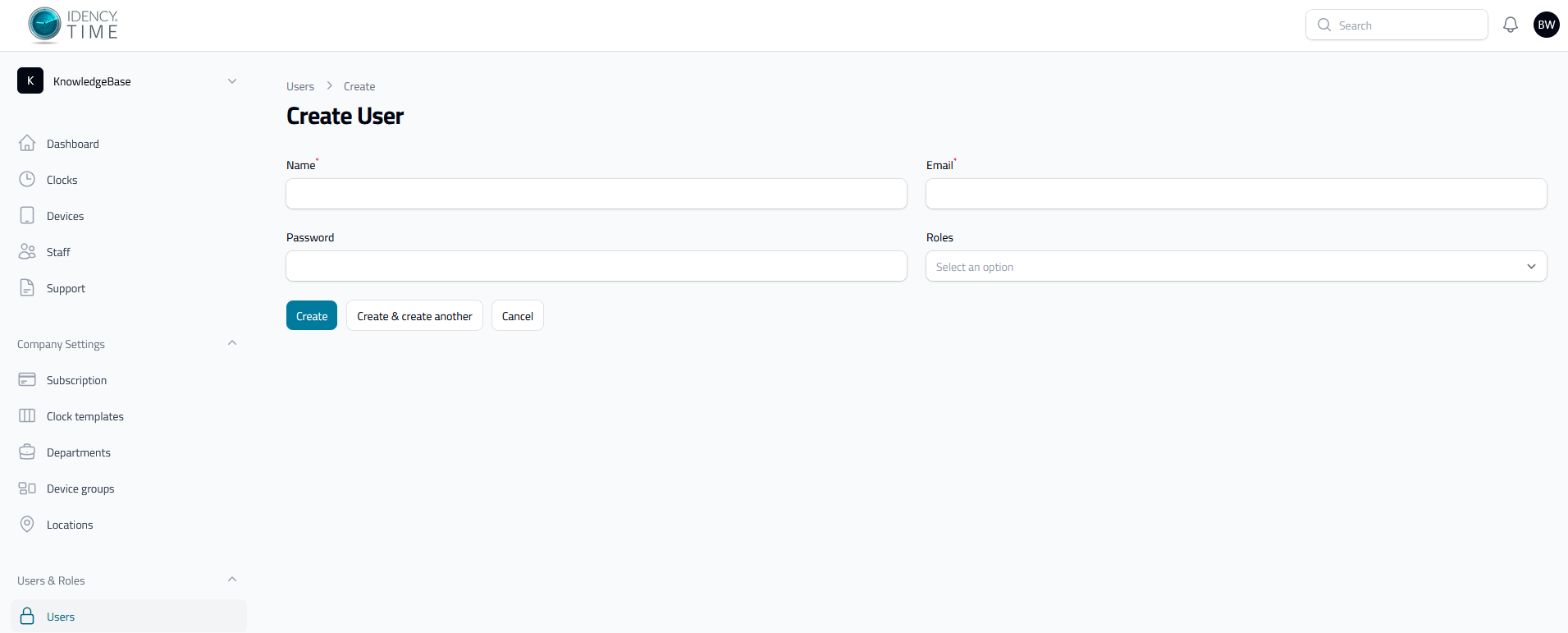
Step 3: Enter the New User’s Details
Selecting Create User opens the following fields:
- Name: a single text field for the user’s full name
- Email: the address they’ll log in with
- Password: set by you when creating the user. The user can change this themselves later in their profile settings once logged in — you can give them an easy-to-remember password or a randomly generated one
- Roles: every user must be assigned one or more of the following:
- Customer Administrator: gives access to the full IdencyTime system, including staff, devices and clock records. If assigned without Evacuation Marshall, the user won’t have access to the Evacuation Report module
- Evacuation Marshall: gives access to the Evacuation Reports module. Only available if the Evacuation Module is active — otherwise, Customer Administrator is the only option. If a user is only assigned this role, they’ll only be able to access the Evacuation Report module, won’t need to enable 2FA, and will be taken straight to the Evacuation Report on login
Once the details are entered, select Create, or Create & Create Another to continue adding more users.
Once created, the user can log in to IdencyTime using the email and password you set. You can also share this article to help them get started: First Time Logging into IdencyTime
Need a hand fitting your wall mount?
If you run into any issues during assembly, our support team is happy to help.
IdencyTime – Time & Attendance API and T&A Integrations

















 English (UK)
  English
  English (Canada)
  Français du Canada
  Svenska
  Português
  Nederlands
  Italiano
  Français
  Español
  Deutsch