




































Latest News
Go2Clock Updates: June 2026
Blog by Daniella Smith | Posted on Thursday July 2 2026
Go2Clock Update: June 2026
Keeping your payroll accurate and your reporting efficient is a key part of any modern workforce management system. The latest Go2Clock update introduces a useful enhancement to the Legacy Report, making it easier to review and approve employee hours before payroll is processed.
New Go2Clock Feature:
Show Shift Pattern Pay Rate Totals
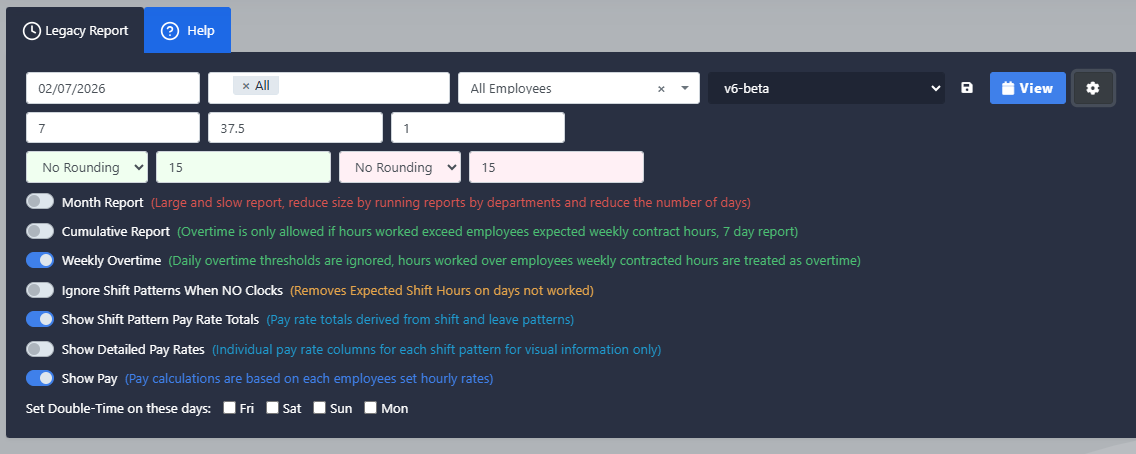
The June Go2Clock update adds a new “Show Shift Pattern Pay Rate Totals” option within the Legacy Report.
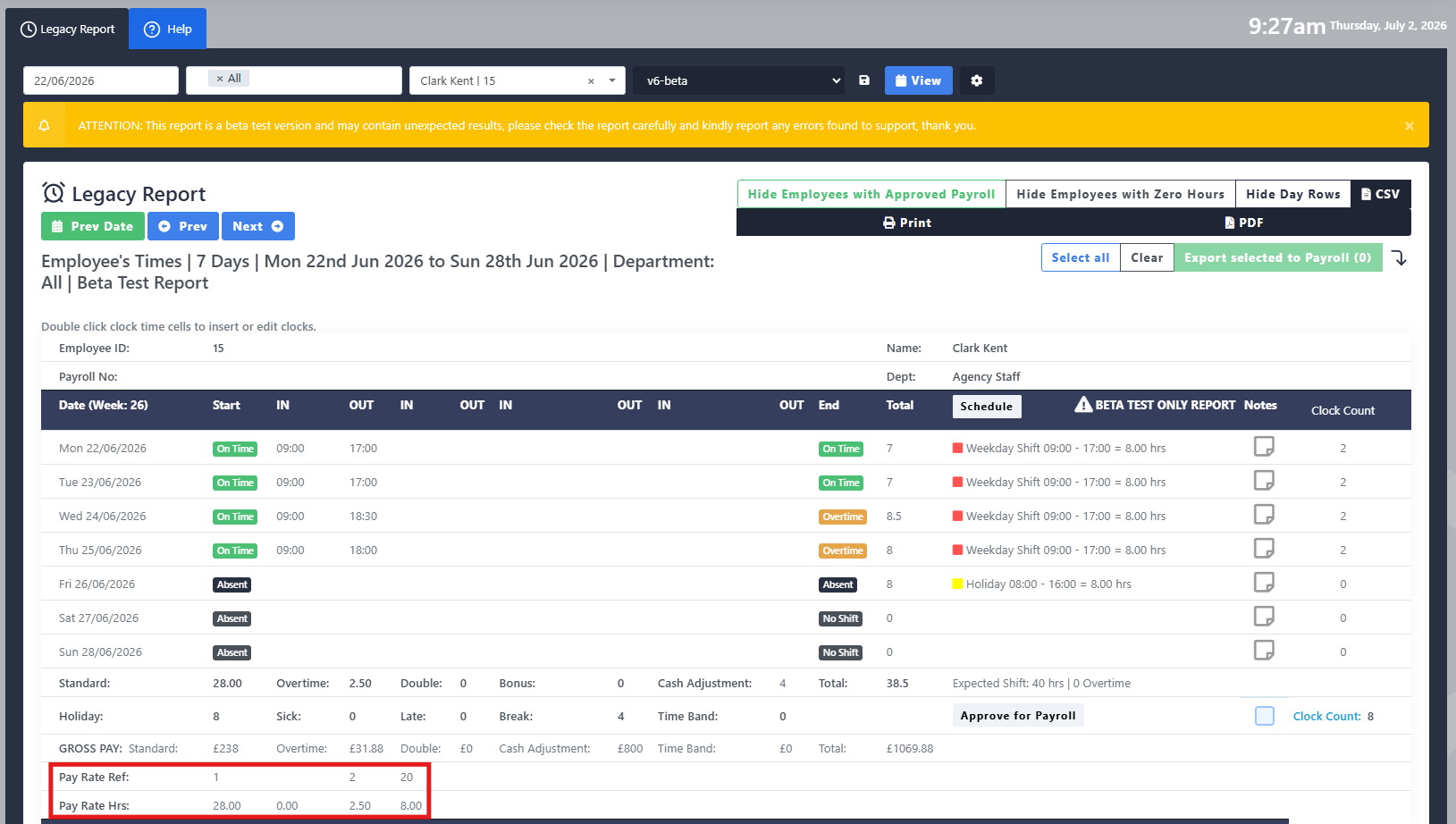
This feature automatically groups employee hours into their assigned pay rate codes, based on the pay rates configured against each shift pattern and leave pattern. Instead of manually calculating different pay rates, managers can now quickly review the totals for each category within a single report.
Once the totals have been generated, they can be edited and approved before being transferred directly into the Shift Pattern Payroll Report. This provides an additional layer of flexibility, allowing payroll administrators to make final adjustments before payroll is processed.
New Go2Clock Feature:
Calculate Leave in Hours
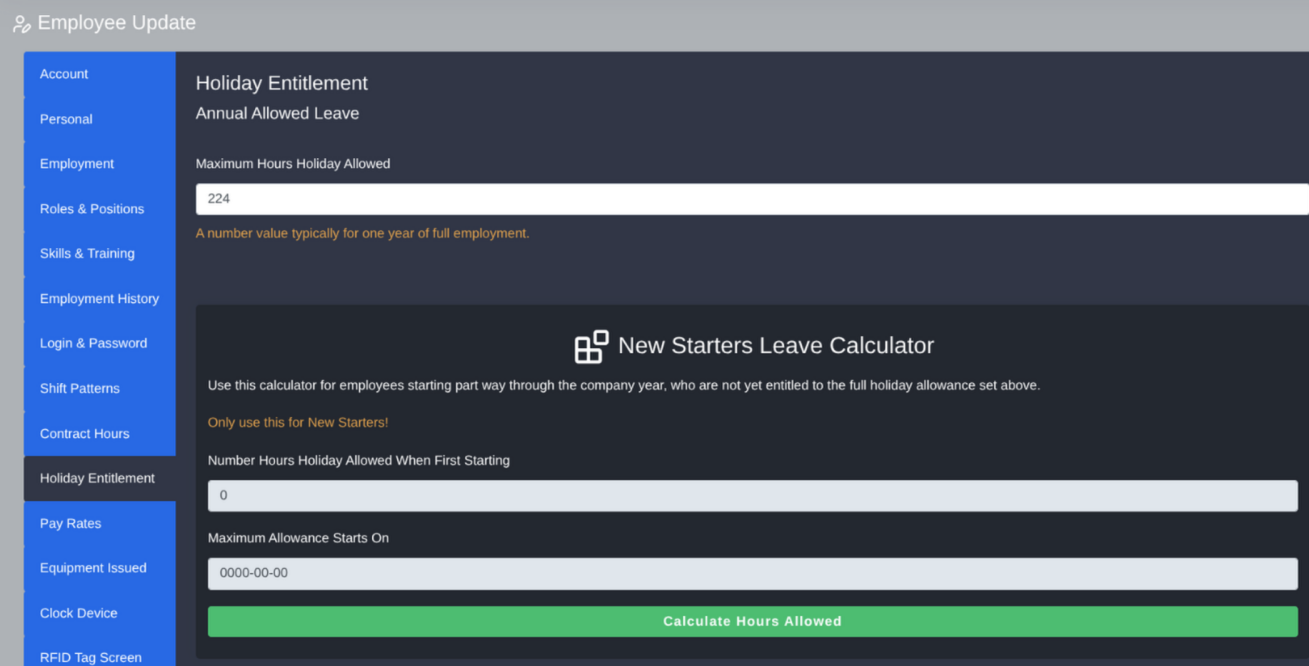
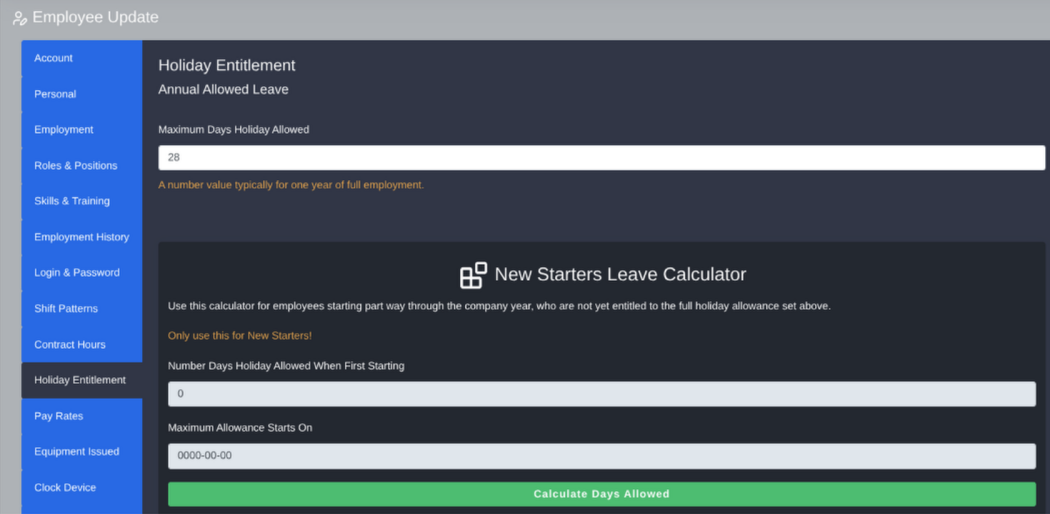
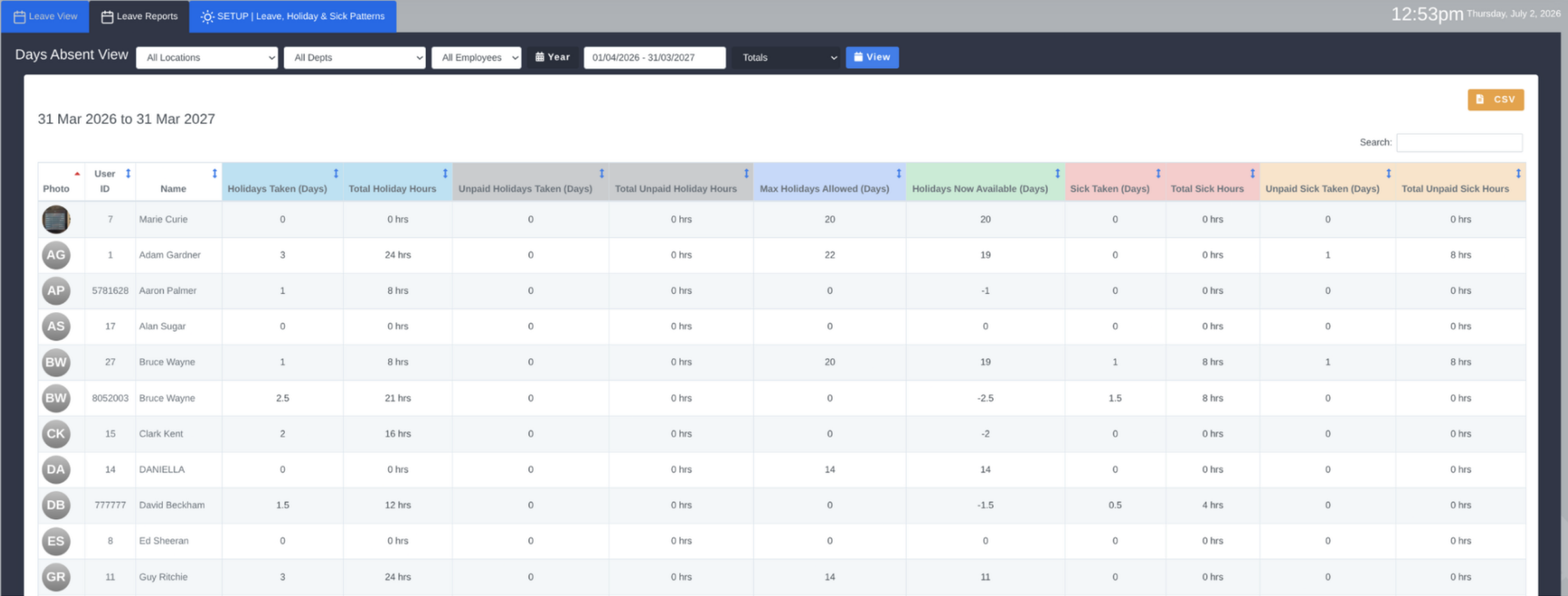
This new Go2Clock feature adds a new option to calculate leave in hours, as well as days/half days.
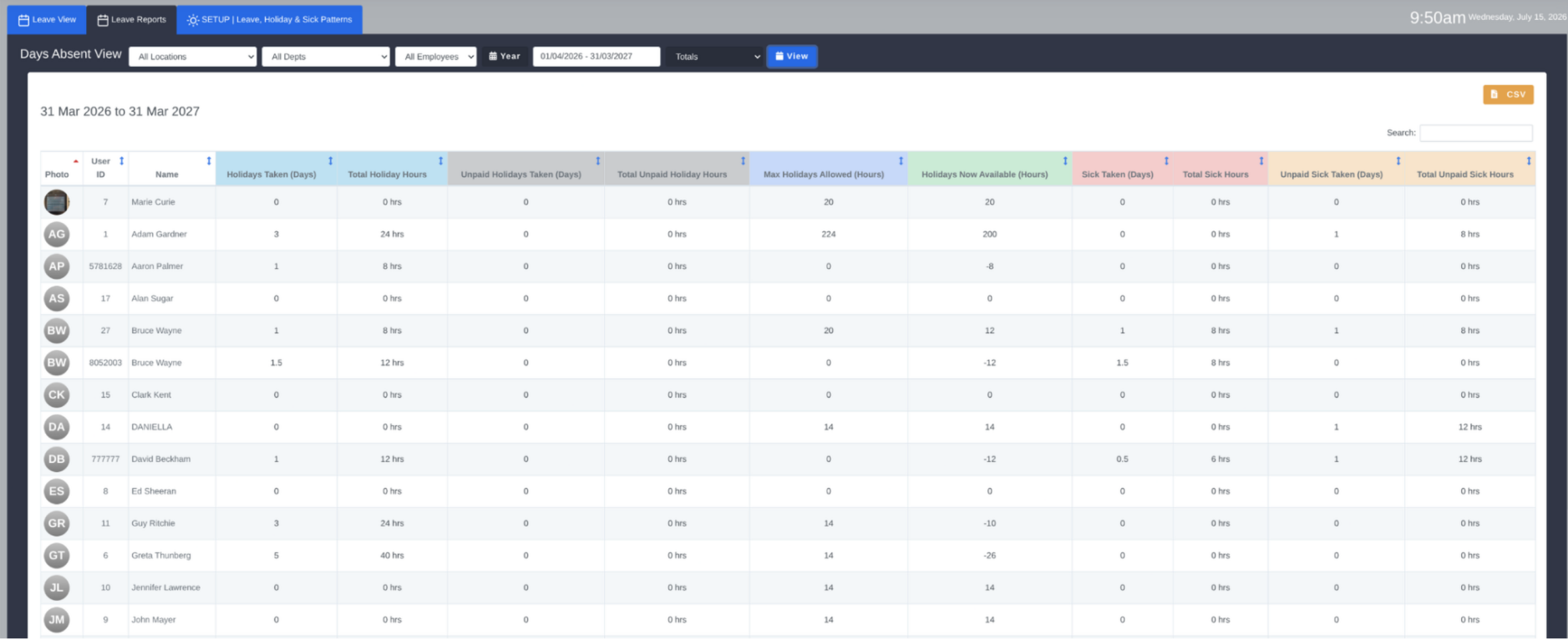
This feature allows employee leave to be calculated and recorded in hours rather than days, giving payroll administrators far greater accuracy when processing leave. Instead of calculating in full/half days, managers can now account for precise leave durations.
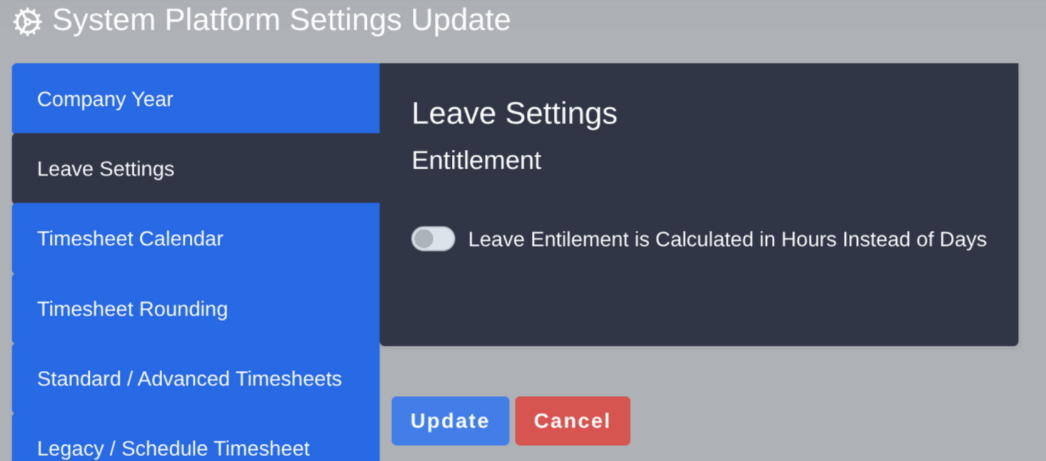
To get started, simply enter each employee’s maximum hours holiday allowance in the Holiday Entitlement section of their employee profile. The feature can then be enabled by navigating to System Settings → System Config Settings → Leave Settings and switching on track leave in hours. Switching this off will revert back to tracking leave in days and half days. Once enabled, an overview of leave totals can be viewed at any time from the Holiday & Sick menu by selecting the Leave Reports tab and choosing totals for a given period.
Key Benefits
- Calculate and record employee leave in hours rather than days or half days, for greater payroll accuracy.
- Enter each employee’s maximum hours holiday allowance directly within their employee profile. Easily enable or disable hour-based leave tracking at any time via System Settings.
- View a full overview of leave totals for any given period from the Holiday & Sick menu.
- Ideal for businesses with variable shift patterns where leave duration differs between employees.
Go2Clock from Idency
As an authorised Go2Clock partner, Idency supplies, implements and supports Go2Clock Time & Attendance software alongside biometric time clocks, facial recognition terminals and workforce management solutions.
If you’d like to learn more about Go2Clock or discuss how it can simplify your employee time tracking and payroll processes, get in touch with the Idency team.

















 English (UK)
  English
  English (Canada)
  Français du Canada
  Svenska
  Português
  Nederlands
  Italiano
  Français
  Español
  Deutsch