




































Latest News
Go2Clock Updates: October 2026
Blog by Tommy Brazil | Posted on Tuesday October 13 2026
Go2Clock Update: October 2026
This month’s Go2Clock update adds Appointment Leave for paid absences, makes clock editing faster and introduces a new paid Recruitment module.
New Go2Clock Feature:
Appointment Leave
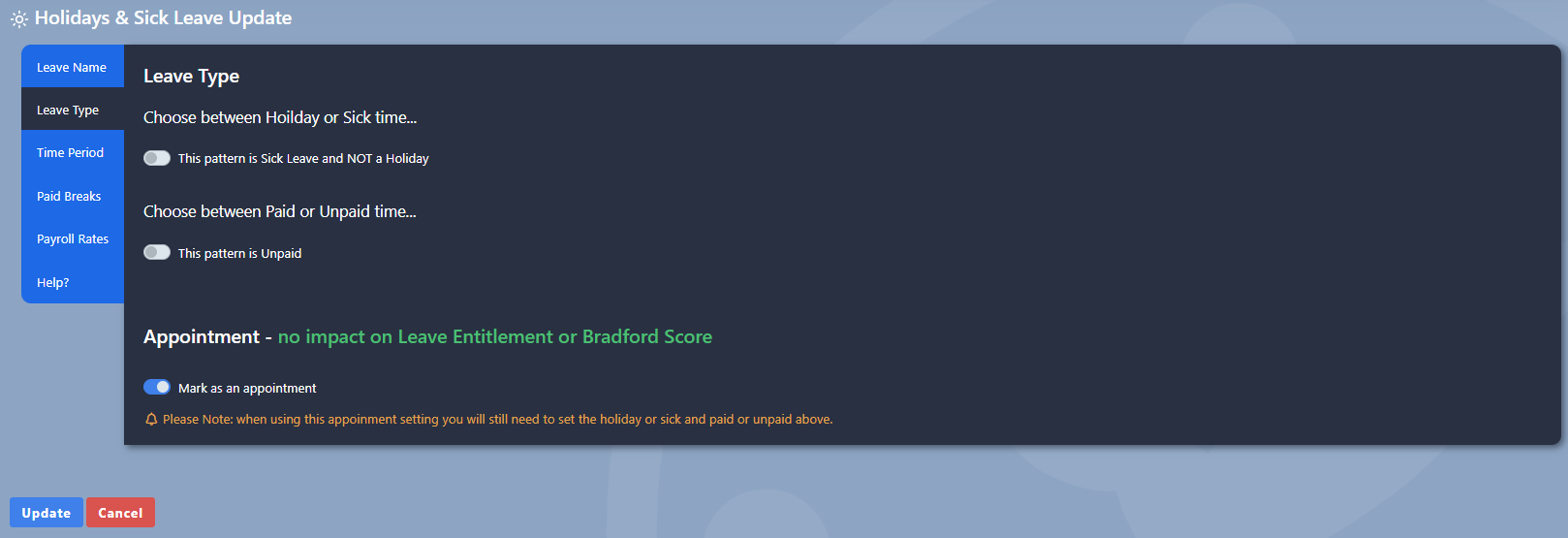
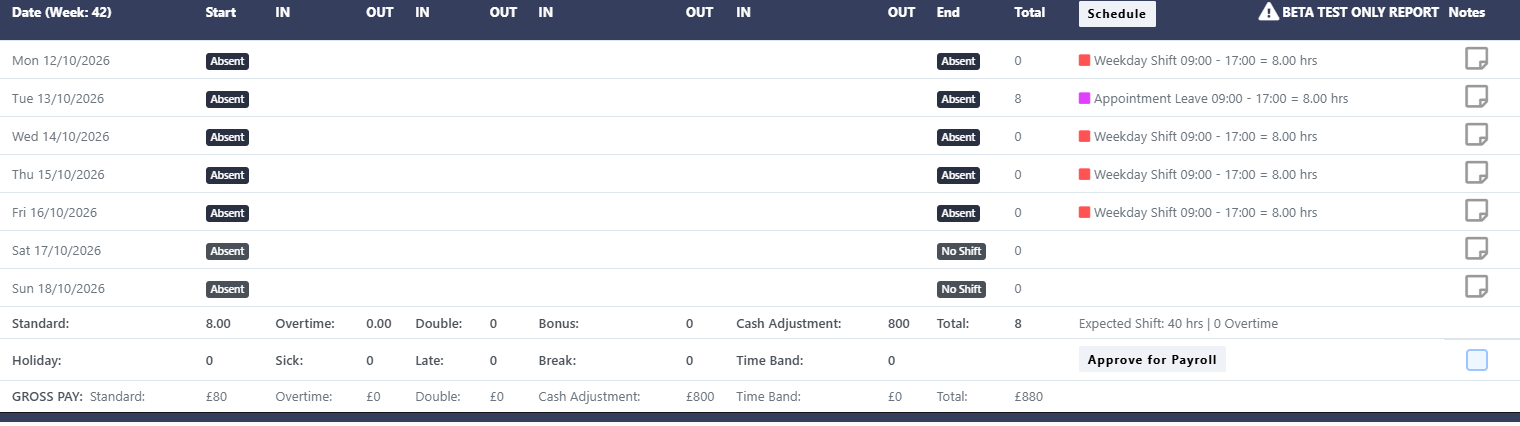
Go2Clock now supports Appointment Leave, so you can record paid absences without affecting an employee’s holiday entitlement or sickness score. For example, you can use it for a medical appointment or a training course, when the employee needs to be paid but can’t clock in or out at a terminal.
You apply Appointment Leave as a rule to your existing Holiday & Sick leave types. When you enable it, Go2Clock calculates the recorded hours as standard hours instead of using the usual holiday or sickness calculations.
Key Benefits
- Record paid absences without reducing an employee’s holiday entitlement
- Keep sickness scores unaffected by appointments and training
- Apply Appointment Leave as a rule to your existing Holiday & Sick leave types
- Calculate appointment hours as a standard hours instead of holiday or sickness hours
New Go2Clock Feature:
Updated Clock Editing
Editing employee clock records in Go2Clock is now quicker. Previously, adding a clock record triggered an immediate recalculation of the totals and a report reload, which slowed things down when you had several entries to add.
Totals are now only recalculated when you select the Recalculate button. Add as many clock records as you need, then select Recalculate once to update the totals.

Key Benefits
- Add multiple clock records without waiting for the report to reload each time
- Recalculate totals once, when you’re ready, using the Recalculate button
- Cut down on unnecessary processing
- Work through clock edits more smoothly
New Go2Clock Feature:
Recruitment
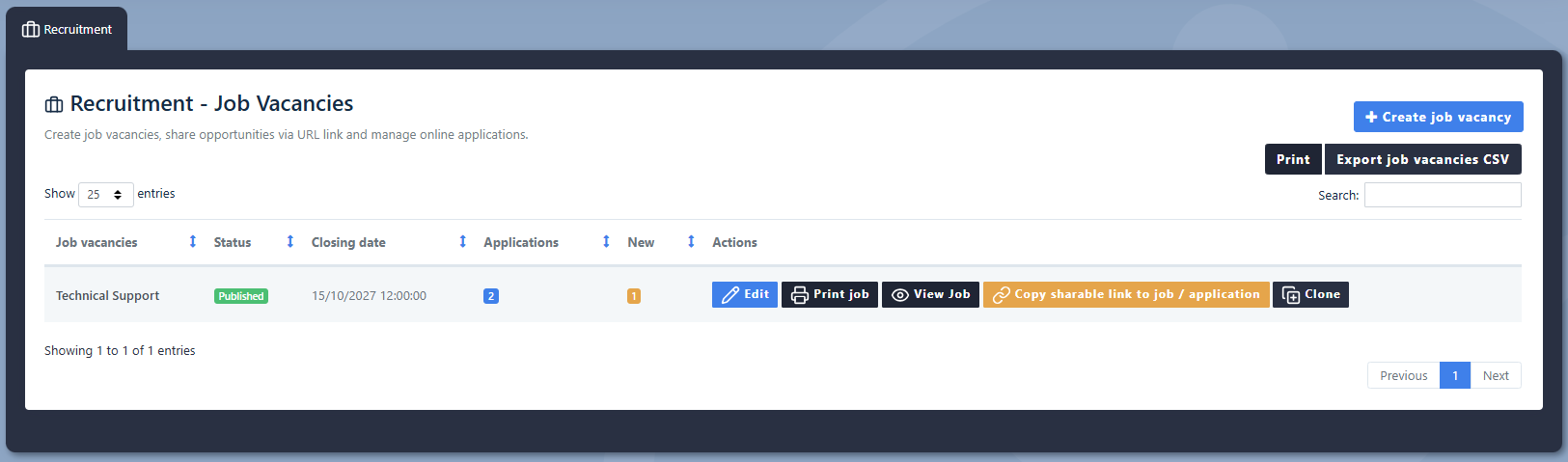
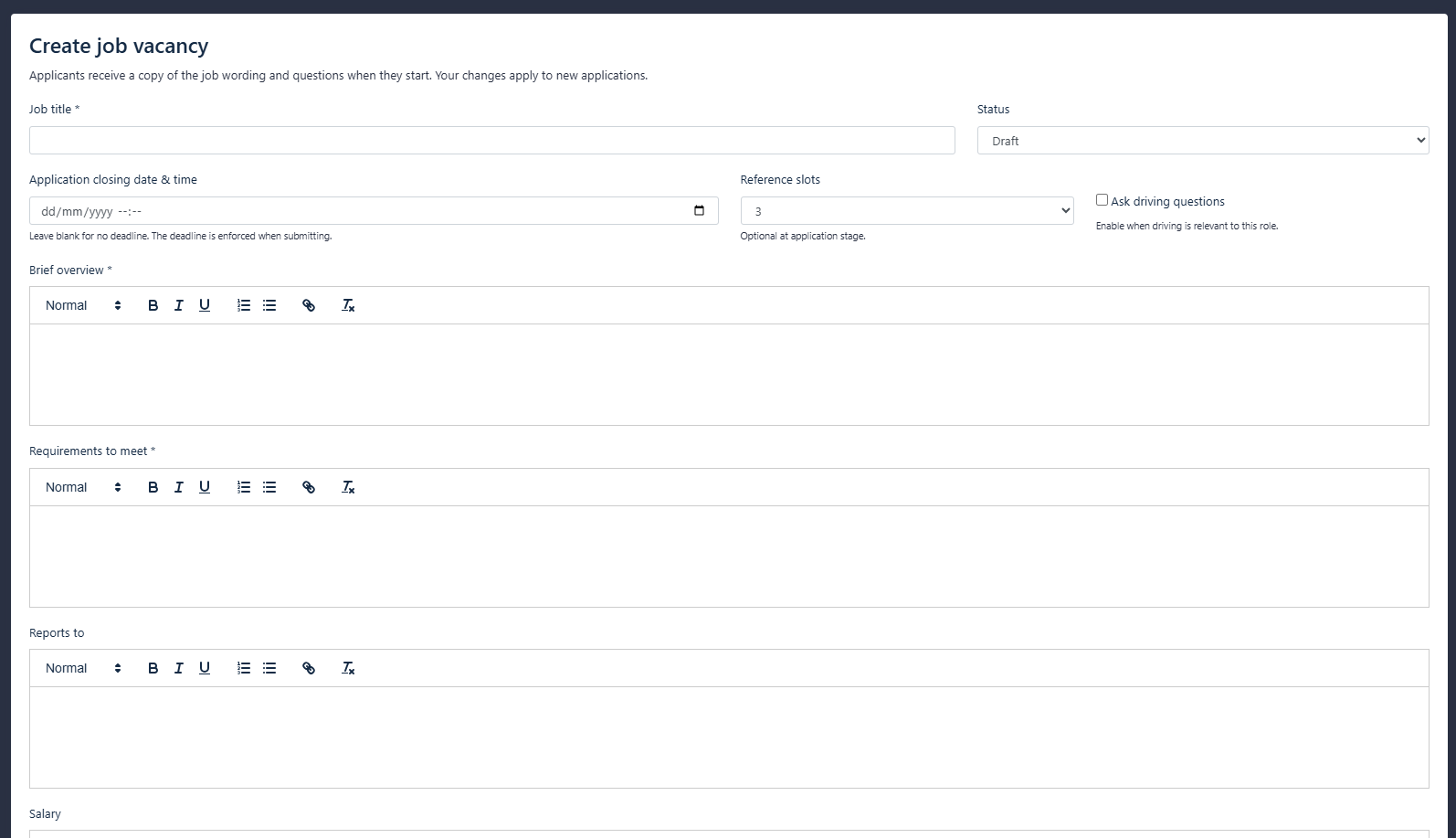
Go2Clock now offers an additional paid recruitment module, designed to bring the recruitment process into one place. Recruitment posts and questionnaires are managed together, which helps you keep applications organised and hiring process.
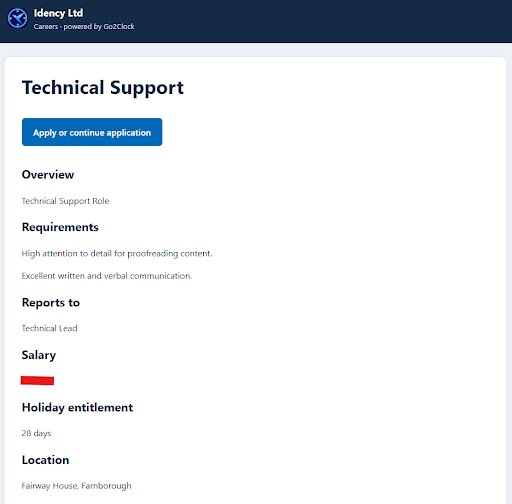
Create your own recruitment posts, define the requirements for each role and build tailored questionnaires for applicants. Once created, these can be attached to job adverts. The module works for full-time, part-time, and temporary positions.
Key Benefits
- Create recruitment posts and define role requirements in Go2Clock
- Build tailored questionnaires for applicants
- Attach questionnaires to job adverts
- Manage full-time, part time and temporary recruitment from one central location
Go2Clock from Idency
As an authorised Go2Clock partner, Idency supplies, implements and supports Go2Clock Time & Attendance software alongside biometric time clocks, facial recognition terminals and workforce management solutions.
If you’d like to learn more about Go2Clock or discuss how it can simplify your employee time tracking and payroll processes, get in touch with the Idency team.

















 English (UK)
  English
  English (Canada)
  Français du Canada
  Svenska
  Português
  Nederlands
  Italiano
  Français
  Español
  Deutsch