
























Latest News
Go2Clock Updates: July 2026
Blog by Tommy Brazil | Posted on Friday July 3 2026
Go2Clock Update: July 2026
Keeping track of employee leave is a key part of any modern workforce management system. The latest Go2Clock update introduces a useful addition to the dashboard, making it easier to view upcoming employee leave at a glance.
New Go2Clock Feature:
View Upcoming Leave on the Dashboard
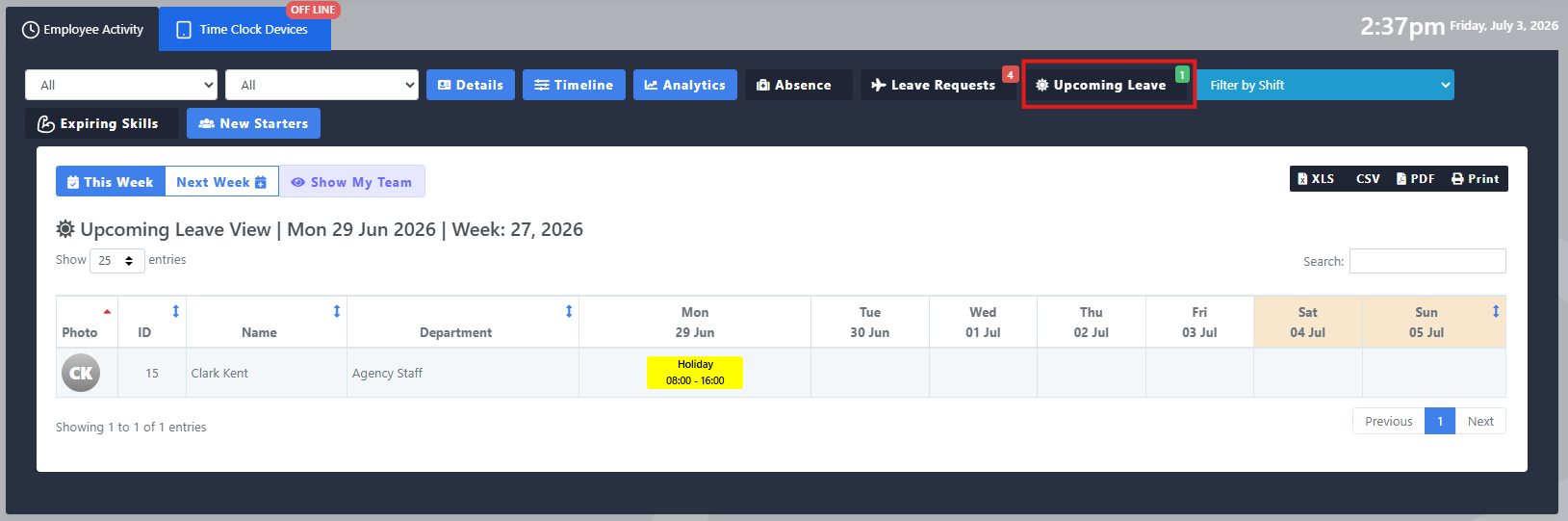
The July Go2Clock update adds a new “Upcoming Leave” button within the Dashboard.
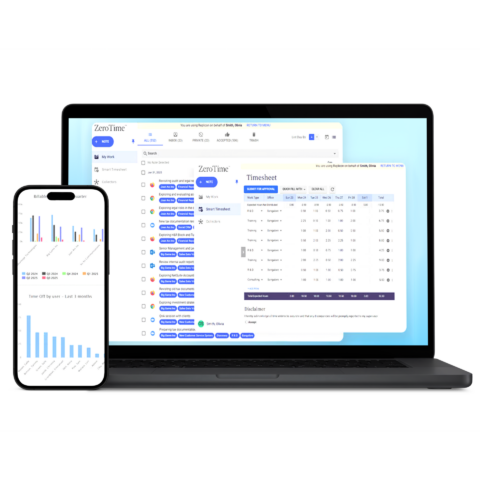
This feature displays all employees alongside a week-by-week view of their scheduled leave, making it simple to see at a glance who is off and when. Instead of cross-referencing multiple reports, managers can now view the full picture of upcoming employee leave in one place.
Once leave has been assigned to an employee, it will appear clearly within the dashboard view, giving managers the confidence that leave is being tracked accurately.
Key Benefits
- Instantly see which employees have leave scheduled for the current week, all in one place.
- Filter by department to focus on the teams that matter to you.
- Download a full report in XLS, CSV or PDF format for your records.
- Navigate forward to future weeks to plan ahead with confidence.
Go2Clock from Idency
As an authorised Go2Clock partner, Idency supplies, implements and supports Go2Clock Time & Attendance software alongside biometric time clocks, facial recognition terminals and workforce management solutions.
If you’d like to learn more about Go2Clock or discuss how it can simplify your employee time tracking and payroll processes, get in touch with the Idency team.















 English (UK)
  English
  English (Canada)
  Français du Canada
  Svenska
  Português
  Nederlands
  Italiano
  Français
  Español
  Deutsch