



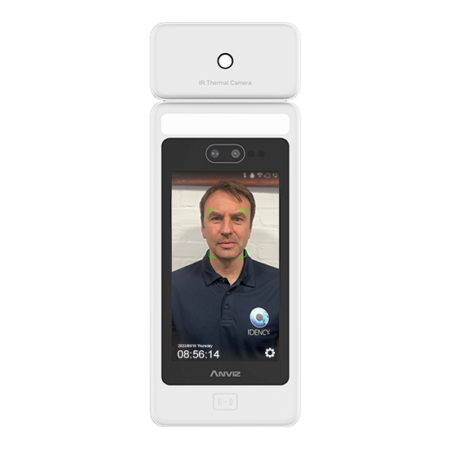





























Adding multiple new users to ZKTeco VF380 terminal
The best way to do this is by downloading ZKAccess Software which can be downloaded by clicking here. You will need to create an account with ZKTeco in order to download this software. Once installed, please follow the steps below:
1. Connect your VF380 terminal to the ZKTeco Software under the ‘Device’ tab. You should be able to simply click ‘Search’ in the left hand side which will open a new window. Click ‘Search’ again and your device will appear.
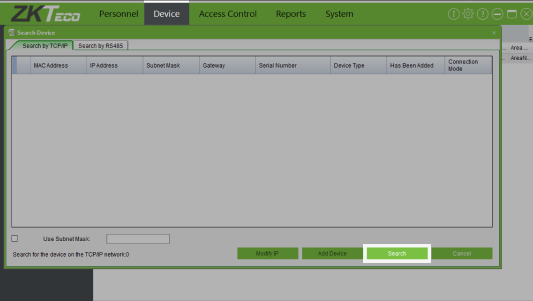
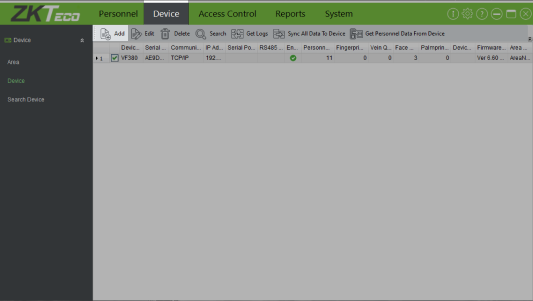
2. Select the device and then click ‘Add Device’. You can change the device name to whatever you wish to call it, then click ‘Ok’.
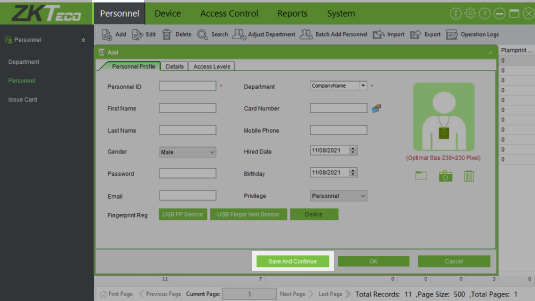
3. Next, go to the ‘Personnel’ tab and click ‘Add’. Enter the employee info and click ’Save And Continue’.
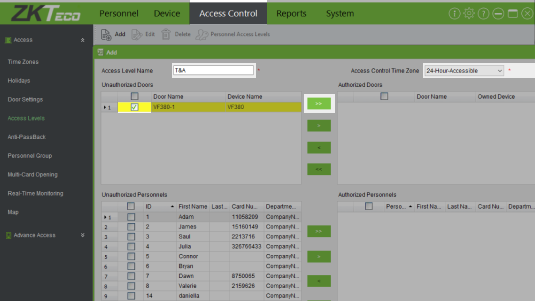
4. Once you have created all of your employees, go to the ‘Access Control’ tab. Click ‘Add’, name the access level ‘T&A’, and select ’24-Hour-Accessible’ from the drop down. Select the device from the top left side box and click the ‘>>’ button to move it across.
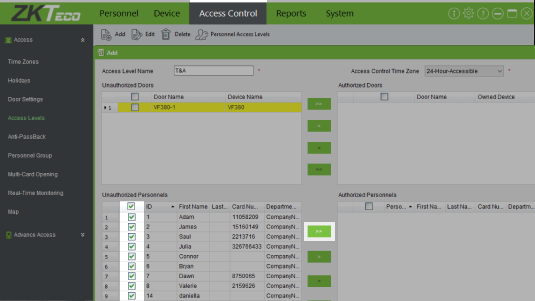
5. Select all of your employees from the bottom left box and click the ‘>>’ button to move it across. Click ‘Ok’ to send the data across to the device.
For more information and general guidance on our products & services, please contact us.
Require further support?
Search all Knowledgebase articles
Send a Support Request to The Idency Support Team















 English (UK)
  English
  English (Canada)
  Français du Canada
  Nederlands
  Svenska