




































Latest News
Go2Clock Updates: September 2026
Blog by Tommy Brazil | Posted on Tuesday October 13 2026
Go2Clock Update: September 2026
This month’s Go2Clock update brings a refreshed interface, easier sidebar navigation, a new configurable late arrival rule and the ability to message employees directly from the system.
New Go2Clock Feature:
Improved Go2Clock User Interface
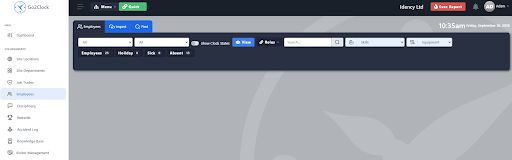
Go2Clock has received a series of visual improvements to give it a more consistent, modern look. Selectable options across the system now use a uniform colour scheme, so the interface feels the same wherever you are.
There’s nothing to switch on. The left-hand sidebar now shows a light grey highlight on the tab you’re currently using, so it’s easy to see where you are in the system at a glance.
Key Benefits
- Get a consistent colour scheme across all selectable options in the system
- Identify the current tab quickly with the light grey sidebar highlight
- Find your way around Go2Clock more easily
- Enjoy a cleaner, more modern interface with no setup required
- Prevent accidental changes after payroll approval, with editing only possible again if the approval is removed
New Go2Clock Feature:
Improved Sidebar Navigation
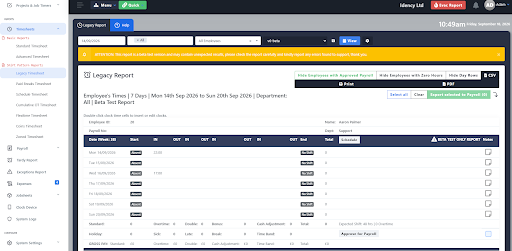
Previously, the left-hand sidebar in Go2Clock was fixed to the page. Managers sometimes had to scroll right to the bottom of the page just to reach options such as System Settings. This update fixes that.
The sidebar can now be scrolled independently using the mouse wheel. Hover over it and scroll to reach any navigation option, without moving the main page.
Key Benefits
- Scroll the sidebar independently of the main page using the mouse wheel
- Reach options such as System Systems without scrolling to the bottom of the page
- Save time when moving between sections of the system
- Navigate more easily on the long pages and smaller screens
New Go2Clock Feature:
New Arrive Late Rule
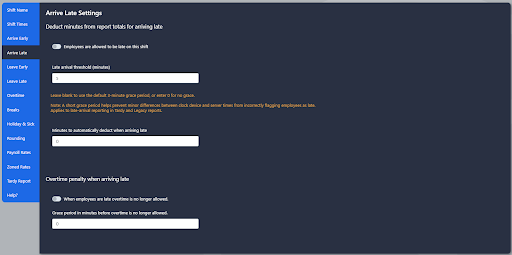
A new late arrival threshold is now available within shift rules in Go2Clock. Previously, the Legacy and Tardy report applied a fixed three-minute grace period to late clock-ins, and it couldn’t be changed. Companies can now set their own threshold to match their lateness policy.
Set your allowance in the new Arrive Late rule within Shift Rules. Employees who clock in after their scheduled start time are still marked as on time if they fall within the allowance. They’re only marked as late once the threshold has been exceeded.
Key Benefits
- Set your own late arrival threshold instead of relying on the three-minute grace period
- Allow a grace period that suits your company policy
- Mark employees as late only once the threshold has been exceeded
- Apply the rule within Shift Rules
New Go2Clock Feature:
Messaging Employees
Managers can now send messages to employees through Go2Clock, making it easier to share important information and keep staff informed. Messages can be used for updates such as site changes, annual site closure reminders, and other announcements.
What you can send depends on your access level. Superadmins can message individual employees, specific departments or the entire company. Managers can message individual employees only.
Key Benefits
- Send important messages directly to employees through Go2Clock
- Share site changes, closure reminders and other announcements
- Message individual employees, specific departments or the whole company as a Superadmin
- Message individual employees as a manager
Go2Clock from Idency
As an authorised Go2Clock partner, Idency supplies, implements and supports Go2Clock Time & Attendance software alongside biometric time clocks, facial recognition terminals and workforce management solutions.
If you’d like to learn more about Go2Clock or discuss how it can simplify your employee time tracking and payroll processes, get in touch with the Idency team.

















 English (UK)
  English
  English (Canada)
  Français du Canada
  Svenska
  Português
  Nederlands
  Italiano
  Français
  Español
  Deutsch