


































Go2Clock: Tracking Employee Rewards
Employee behaviour and achievements can be useful to track in Go2Clock. They give managers a record of positive contributions and opportunities to recognise and reward employees.
Step 1: Create a Reward Record
The Rewards feature in Go2Clock allows managers to record and track rewards given to employees.
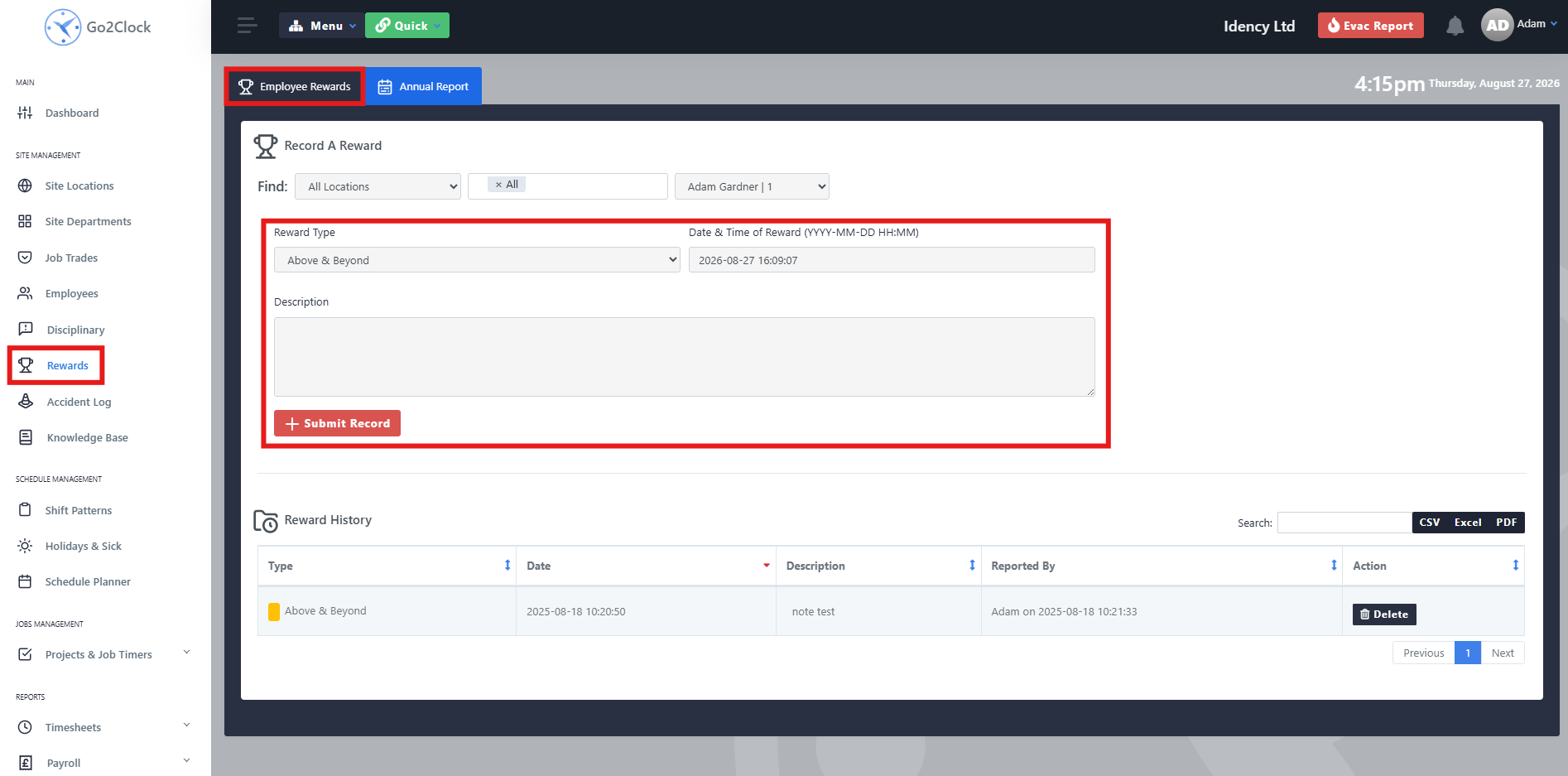
- Navigate to Rewards
- Use the filters to find an employee
- Fill out the reward card
Select the appropriate Reward Type from the dropdown, then enter the date and time the reward was earned.
Use the Description field to give additional details about the event or achievement. This should clearly explain why the reward was given and provide useful information for future reference.
Step 2: Run a Reward Report
Go2Clock can generate a report of rewards awarded during a specified period.
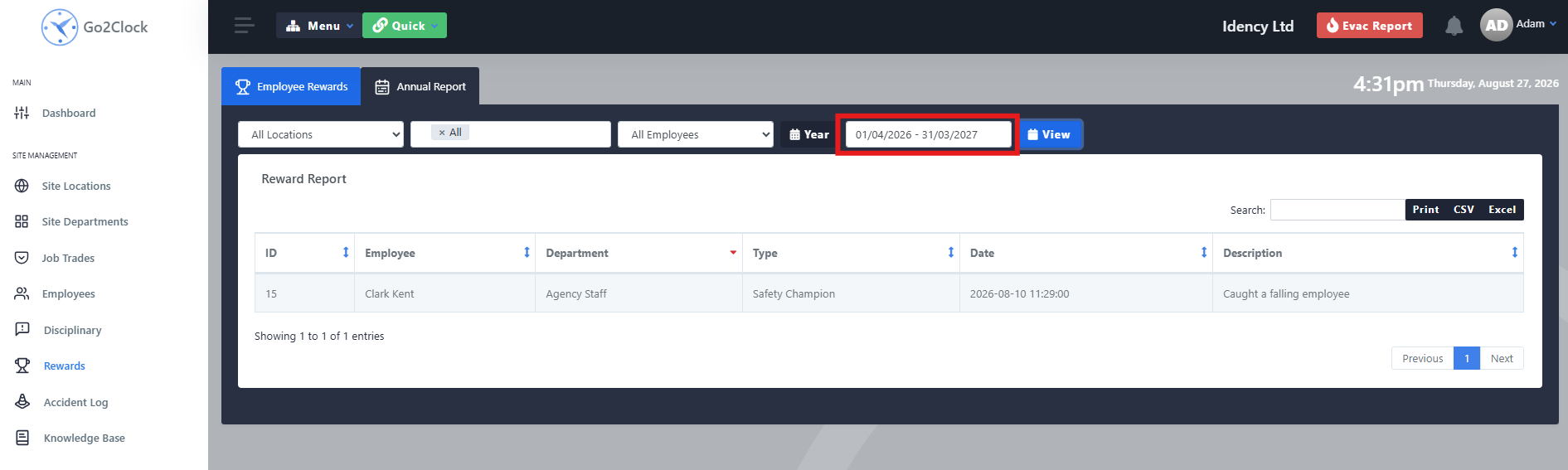
- Navigate to Rewards
- Select Annual Report
- Set the filters and choose the date range
- Select View
The report displays the rewards awarded within the specified period and can be exported for use in company records, employee recognition or internal reward programmes.
Need a hand tracking rewards in Go2Clock?
If you have any questions about creating or reporting on reward records, our support team is happy to help.

Go2Clock Cloud Hosted Time & Attendance System

















 English (UK)
  English
  English (Canada)
  Français du Canada
  Svenska
  Português
  Nederlands
  Italiano
  Français
  Español
  Deutsch